



 4.8/ 5
40,000+
Happy Customers
A MacBook Pro that suddenly can't make it through the day is hard to ignore. You may be charging between meetings, watching the battery percentage fall while doing work you've done a hundred times before, or finding that the MacBook shuts down when you still thought you had enough charge left.
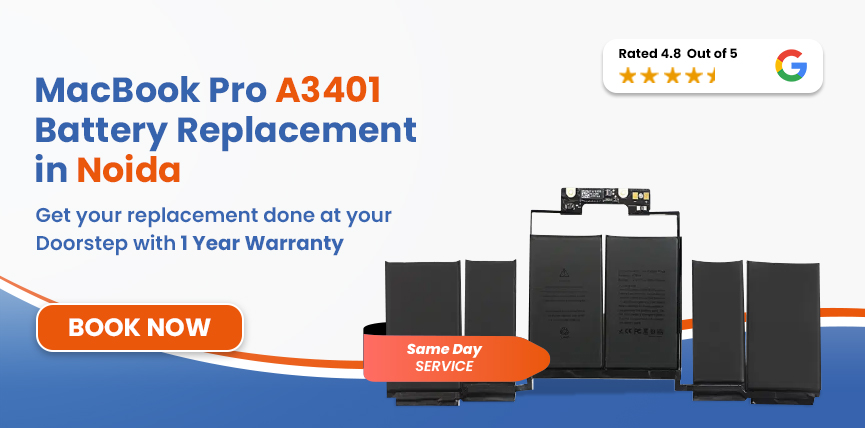
If you're looking for a MacBook Pro A3401 battery Replacement in Noida, you’re in luck. Lappy Maker provides free diagnostics by our trained technicians. Once the issue is identified, you can get an OEM-quality battery replacement with up to 1 year warranty.




Before going into the details, identify your MacBook model and confirm you've got the right page.
| MacBook Pro A3401 – Battery Specifications | |
|---|---|
| Full Model Name | MacBook Pro 14-inch (M4 Pro, 2024) |
| Model Identifier | A3401 (EMC 8894) |
| Battery Model | A2977 |
| Cell Chemistry | Lithium-Polymer (Li-Po) |
| Capacity | 72.4 Wh |
| Voltage | 11.58 V* |
| Cell Count | 6-cell |
| Rated Charge Cycles | 1,000 |
| Estimated Battery Life | Up to 22 hours |
| Charging | MagSafe 3 / USB-C |
You can check the model from Apple Menu → About This Mac to confirm your model number before booking a battery replacement.
Before sending the MacBook in, you can get a quick idea of its battery condition yourself.
Not every battery problem looks the same. Sometimes it's obvious; other times, you just realise that your MacBook isn't behaving the way it used to.
Safety Note: A swollen battery needs more attention than ordinary battery degradation. Stop using and charging the MacBook and contact Lappy Makers as soon as possible. We can arrange a professional inspection and doorstep pickup.
Battery ageing is unavoidable, but certain conditions can make it happen faster.
A battery experiences wear every time it goes through charging and discharging. Over many cycles, the cells gradually lose some of their original capacity.
Heat can accelerate the chemical ageing of lithium-ion batteries. Regularly using or charging the MacBook in excessively hot conditions can therefore contribute to faster capacity loss.
Occasionally running low isn't a problem. But repeatedly allowing the battery to reach very low charge levels before charging can contribute to additional wear over time.
A lithium-ion battery that remains at a very low charge for a prolonged period can deteriorate further.
A proper battery replacement is more than taking out the old battery and putting in another one. We want to make sure we're solving the actual problem and that the replacement is working correctly:
We start by checking the symptoms and examining the MacBook's battery and power behaviour. If something else could be causing the problem, we investigate that before recommending a replacement.
We confirm the MacBook's exact model and check available battery-health and cycle information. This allows us to match the replacement correctly to your A3401.
Once the replacement is confirmed, we select an OEM-quality replacement battery compatible with the A3401. We don't use a generic battery simply because its physical dimensions happen to match.
OTechnicians utilize thermal application and non-conductive tools to safely extract the battery without compromising internal components. Following the installation, all connections are precisely re-established and the new unit is secured to factory standards.
Technicians utilize thermal application and non-conductive tools to safely extract the battery without compromising internal components. Following the installation, all connections are precisely re-established and the new unit is secured to factory standards.
Before the MacBook is handed back or dispatched, we perform a final inspection to make sure the repair has been completed properly.
Services
Free Pickup & Drop
Expert Technicians
Up to 1 Year Warranty
No fix No fee
Affordable
OEM Quality Spares
Same Day Service
Dedicated Support
Free Diagnosis
Authorised Service
Center


Local
Shop
Lappy Maker
Service
The MacBook Pro A3401 battery replacement cost in Noida depends on parts availability when your MacBook arrives and its overall condition. If our diagnosis finds another issue that could be affecting the battery or charging, we'll let you know before carrying out any additional work.
The A3401 uses battery model A2977, which is also listed for several other 14-inch MacBook Pro models. Here's a quick reference:
| Model | MacBook Air | Chip | Year | Battery | Est. Replacement Cost |
|---|---|---|---|---|---|
| A3401 | 14-inch | M4 Pro | 2024 | A2977 - 72.6 Wh | ₹10,000-₹21,000 |
| A2992 | 14-inch | M3 Pro / M3 Max | 2023 | A2977 - 72.6 Wh | ₹9,999 - ₹19,000 |
| A3112 | 14-inch | M4 | 2024 | A2977 - 72.6 Wh | ₹10,999-₹20,000 |
| A3185 | 14-inch | M4 Max | 2024 | A2977 - 72.6 Wh | ₹10,999-₹20,000 |
All prices are starting estimates and may vary depending on the device, parts availability, and diagnosis.
Some reasons why Lappy Maker is a top choice for many in terms of MacBook service in Noida - an alternative to authorised or local centres. .
You shouldn't have to pay simply to find out what's wrong with your MacBook. We diagnose the device and determine whether the battery actually needs replacing before recommending the repair.
If the diagnosed problem can't be fixed, you don't pay a repair fee. We don't want you paying for a repair that hasn't solved the problem.
Eligible repairs come with a 1-year warranty, giving you coverage after the MacBook is returned. If a covered repair fails during the applicable warranty period, we'll address it according to the warranty terms.
We take internal component safety seriously. Before your MacBook is submitted for diagnosis, we have you sign off on the condition of its internal components. It gives both sides a clear record before the repair begins.
We use OEM-quality replacement parts and don't rely on temporary solutions just to make a MacBook appear fixed for a short period.
A battery that has lost capacity doesn't necessarily fail dramatically overnight. More often, the inconvenience keeps growing. You charge more frequently. You can't comfortably leave home without your charger. A long meeting becomes something you have to plan around.
If the battery is swollen, don't wait for it to become worse. Physical swelling is a safety concern and requires prompt professional attention. But if your A3401 is otherwise working perfectly, you don't necessarily need to replace the entire MacBook. Replacing the battery can allow you to keep using the machine you already rely on.
Once the replacement is installed, looking after it doesn't have to become a full-time job.
If you're in Noida and looking to get your MacBook Pro A3401 battery replaced, you don't need to travel to our service centre. We offer free doorstep pickup and delivery across Noida and Delhi NCR. You can also visit us directly at our physical service centres in Nehru Place or Gurgaon.
When you choose doorstep pickup, our agent comes to your location, has you sign off on the internal components before the MacBook is taken in, and brings it to our service centre for diagnosis and repair. We're open Monday to Saturday, from 10 AM to 8 PM.
If your MacBook Pro A3401 is draining too quickly, shutting down unexpectedly, or becoming unusable without the charger, it's worth considering getting a MacBook Pro A3401 Battery replacement, rather than working around the problem every day.
Get in touch with Lappy Maker at 9319848444 or WhatsApp us, tell us what's happening, and we'll take it from there. We'll diagnose the MacBook, explain the issue, and provide the repair quote before proceeding.
Also worth a look:




I had a awesome experience of repairing my MacBook from Lappy Makers, All and the comfort of sitting at my office. They gave pick and drop service and sameer was courtious and prompt in replying all my queries and deliver a great service experience. Thank you soo much Lappy Makers


It was a wonderful experience getting my MacBook screen repair at Lappy maker. They are very professional when it comes to service. I was pleasantly surprised by their thorough knowledge of the product. They are honest and eager to help out. And I am happy I found an excellent place to get my Apple MacBook fixed at a competitive price and with quality work. I wish them all the best in their endeavors.

Awesome experience, genuine Mac repair service, really helpful staff , they are so ground to earth and polite when they speak and discuss the issue. They will explain everything and even the price is genuine. Overall I really recommend to anyone who wants to repair the MacBook - 5 star rated

We were struggling to MacBook issue, after visiting other repairing store but luckly found Lappy Maker. Now our Mac is completely fine! Thanks!

My Macbook Air was having frequent screen issue. I called these guys up and the engineer was at my place immediately. Took 3 days to figure out the problem of a power circuit which needed to get redone.I was sceptical initially as the costing was coming too much which was very close to the value of laptop. However Mr. Santosh who was the engineer repairing the MacBook had a great attitude of never giving up. My Laptop is working fine again and hopefully it would remain like this for some time. I'm happy with the entire experience and pricing. Would recommend to consult them for all mac laptop related problems.

The MacBook Pro A3401 battery replacement cost in Noida depends on the replacement part and the condition of the MacBook. We diagnose the device first and provide the repair quote before beginning any replacement work.
A major reduction in runtime, rapid battery drain, unexpected shutdowns, charging problems or a “Service Recommended” message can all indicate battery degradation.
Battery ageing is one possibility, but demanding applications, display brightness, connected devices and background activity can also increase power consumption.
Go to System Settings → Battery → Battery Health on supported versions of macOS. You can also find more detailed battery information through Apple Menu → About This Mac → System Report → Power.
Many replacements can be completed the same day when the required part is available. The actual turnaround depends on diagnosis, parts availability and the condition of the MacBook.
Yes. Lappy Maker provides free doorstep pickup and delivery across Noida. Your MacBook is collected from your location, repaired through our Nehru Place or Gurgaon service centre and returned after testing.
If the MacBook is otherwise performing well and the battery is the main problem, replacement can be a sensible alternative to replacing the entire machine.
Eligible battery replacements come with up to a 1-year warranty. The applicable warranty coverage is provided as part of the repair service.
Battery replacement does not normally erase your files, applications or macOS installation. Nevertheless, keeping a current backup before any hardware repair is always recommended.
Lappy Maker offers doorstep pickup and delivery, rather than carrying out the battery replacement at your home. Our agent collects the MacBook, it is repaired and tested at our service location, and then returned to you.

4.8/
40,000+
Happy Customers

Visit Within
One Hour

On Time
Delivery

Best Customer
Support


Disclaimer : The information on www.lappymaker.com is provided for general informational purposes only. Repair costs, timelines, and service availability may vary based on the device model and the extent of damage after inspection. Lappy Maker is an independent laptop and MacBook repair service provider and is not affiliated with or authorized by Apple Inc. or any other laptop manufacturer.
