
 4.8/ 5
40,000+
Happy Customers
Your 14-inch MacBook Pro with M1 Pro or M1 Max was meant to get you through a full day. Instead, you’re watching the percentage fall in real time; the screen goes black at random percentages or in the middle of a call. Matter’s worse if your Apple laptop refuses to run unless it’s plugged in. When a powerful machine acts this way, a worn-out battery is almost certainly behind it.
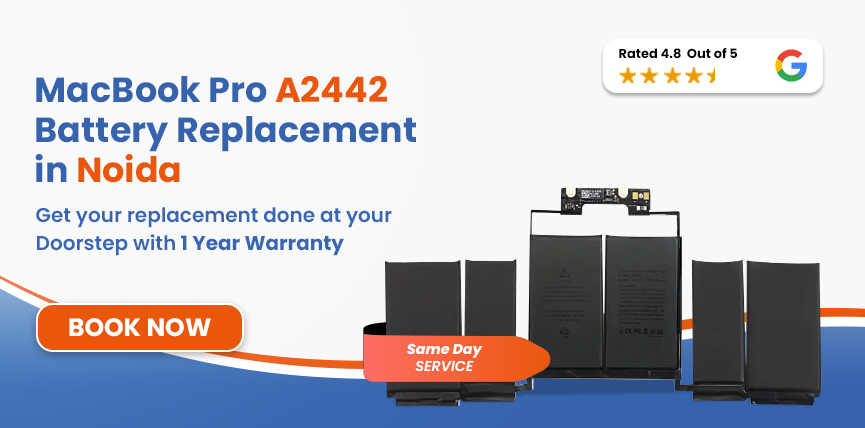
Lappy Maker handles MacBook Pro A2442 battery replacement in Noida - all without you having to leave home. We can collect your Mac from your door for free, get it repaired at our Nehru Place or Gurgaon centre and bring it back. With us, you get certified technicians, OEM-grade parts and up to a 1-year warranty.




The A2442 is the 14-inch MacBook Pro with M1 Pro or M1 Max, released in October 2021. Confirm your model first, so the right battery ends up in the right laptop.
| MacBook Pro A2442 - Battery Specifications | |
|---|---|
| Specification | Detail |
| Full Model Name | MacBook Pro 14-inch (M1 Pro / M1 Max, 2021) |
| Model Identifier | MacBookPro18,3 / MacBookPro18,4 |
| Battery Model | A2519 |
| Cell Chemistry | Lithium-Polymer (Li-Po) |
| Capacity | 70 Wh |
| Voltage | 11.47V |
| Cell Count | 6-cells |
| Rated Charge Cycles | 1,000 |
| Estimated Battery Life | Up to 17 hours |
| Charging | MagSafe 3 + USB-C (96W included; 140W with M1 Max configs) |
Open Apple Menu → About This Mac to check. MacBookPro18,3 is the M1 Pro and MacBookPro18,4 is the M1 Max. Both use the same A2519 battery, so you don't need to worry about which one you have.
Before you book a pickup, take a minute to look at what macOS is telling you.
A tired A2442 battery doesn't usually die in one go. It slips a little further every week, and these are the signs to watch for:
Safety Hazard: The A2442 is a capable machine - don't let a failed battery ruin it. When a battery swells, it can introduce additional safety risks and should be replaced as soon as possible. You can contact us here, and our trained technician will do a proper diagnosis.
Time and usual wear and tear aren't the only thing that wears our MacBook batteries. These four factors also have a huge impact on it.
If you’re doing heavy work while the surrounding temperature is also high, the battery can degrade much more. Constant heat is one of the quickest ways to age lithium-polymer cells.
If you have been working hard on this laptop almost every day, charge it regularly; then the 1000-cycle will naturally arrive much sooner than most people expect.
Constantly running the battery completely flat or leaving it at 100% for hours on end will strain the cells more than staying between 30-80%. Both extremes puts unnecessary strain on the battery.
The battery management system is specifically tuned to Apple’s charging profile. Any third-party adapter that doesn't match may cause small inconsistencies that quietly wear the cells down.
Replacing the battery in a 2021 MacBook Pro takes the right steps in the right order, with careful handling all the way through.
Before we open anything, our team will run a full software and hardware test. This will help us identify the real cause of your issues - whether they’re from the battery or another component fault.
With your MacBook in hand, we will now confirm the model identifier, EMC number (3650 or 8102), system identifier (MacBookPro18,3 or MacBookPro18,4) as well as the battery part number (A2519) on the unit itself. This is to ensure the replacement is an exact match.
When all the details and specs have been identified, we choose an OEM battery that’s matched to the exact capacity (70Wh), voltage (11.47V), and cell chemistry. A mismatched pack will give false health readings in macOS.
We start the official replacement by removing the base cover and releasing the adhesive strips at a low angle near the trackpad cable. The genuine OEM battery is then fitted, and the chassis is put back together.
A full charge cycle follows after the fitting. We verify the maximum capacity in macOS, test MagSafe charging speed, and watch the percentage for any instability.
Every component, port, and the chassis alignment are all checked. Only then does it get the go-ahead to leave our bench. After that, it is ready for pickup or delivered to your doorstep in Noida.
Services
Free Pickup & Drop
Expert Technicians
Up to 1 Year Warranty
No fix No fee
Affordable
OEM Quality Spares
Same Day Service
Dedicated Support
Free Diagnosis
Authorised Service
Center


Local
Shop
Lappy Maker
Service
The final price mostly depends on parts availability at the time of booking and the overall condition of your laptop. We check if anything else turns up before we begin the replacement. At Lappy Maker, the estimated cost for MacBook Pro A2442 battery replacement in Noida is ₹9,999–₹14,000.
Estimated Cost — A2442 & Related MacBook Pro 14-inch Models
| Model | Chip | Year | Battery | Est. Replacement Cost |
|---|---|---|---|---|
| A2442 | M1 Pro / M1 Max | 2021 | A2519 / 70Wh | ₹9,999 – ₹14,000 |
| A2779 | M2 Pro / M2 Max | 2023 | A2519 / 70Wh | ₹9,999 – ₹14,000 |
| A2992 | M3 Pro / M3 Max | 2023 | A2977 / 72.6Wh | ₹9,999 – ₹19,000 |
| A3401 | M4 Pro | 2024 | A2977 / 72.4Wh | ₹10,000 – ₹21,000 |
All figures are starting estimates. The final cost is confirmed in writing after diagnosis, and up to a 1-year warranty.
Your MacBook Pro is a big investment, so pick a repair team that treats it that way.
There’s no need to battle traffic just to drop your MacBook and return back. Our agent will collect it right from your doorstep and bring it back once done - without any delivery charge.
We work on M-series MacBooks every single day. The A2442’s adhesive layout, connector positions, and battery-to-SMC behaviour are familiar territory to us.
Every battery is matched to your model's capacity, voltage and chemistry, and we check the part number on the laptop itself. We never fit generic packs that macOS can't read properly.
You save real money compared with Apple's authorised network, with the same standard of parts and process.
A firm policy for us. If, for whatever reason, we are unable to sort out your MacBook problem, you pay nothing at all. No diagnosis fee, no delivery charges.
A worn-out battery can only get worse. Runtime will keep shrinking, shutdowns get more frequent, and macOS will start holding the chip back because the battery can’t supply stable power. Your MacBook ends up running well below what an M1 Pro or M1 Max can really do.
Swelling is the biggest risk of all. As the battery sits close to the logic board and trackpad, the expanding cell can push against other components nearby. This causes damage that costs far more to repair than a battery swap. Replacing the battery early avoids all of these.
Five simple habits will help the new battery last on your 2021 M1 Pro/M1 Max MacBook Pro.
If you’re in Noida, you don’t have to physically visit our centre at Nehru Place or Gurgaon. Our free doorstep pickup and delivery covers your home or office anywhere in the city. You never have to step out.
Simply contact us at 9319848444 and our team will arrange the pickup. Once the replacement is done and passes the quality check, it will be returned to you. Most battery replacements are finished within a day, subject to parts availability.
The 14-inch MacBook Pro with M1 Pro or M1 Max is well worth keeping at its best. Whether you have short runtime, sudden shutdowns, or a “Service Recommended” alert, a MacBook Pro A2442 battery replacement in Noida is an easy fix with Lappy Maker.
You get a written quote after every proper diagnosis, upto 1 year warranty and a strict policy of no fix, no fee. Contact us at 9319848444 or message us on WhatsApp to book.
Also worth a look:




I had a awesome experience of repairing my MacBook from Lappy Makers, All and the comfort of sitting at my office. They gave pick and drop service and sameer was courtious and prompt in replying all my queries and deliver a great service experience. Thank you soo much Lappy Makers


It was a wonderful experience getting my MacBook screen repair at Lappy maker. They are very professional when it comes to service. I was pleasantly surprised by their thorough knowledge of the product. They are honest and eager to help out. And I am happy I found an excellent place to get my Apple MacBook fixed at a competitive price and with quality work. I wish them all the best in their endeavors.

Awesome experience, genuine Mac repair service, really helpful staff , they are so ground to earth and polite when they speak and discuss the issue. They will explain everything and even the price is genuine. Overall I really recommend to anyone who wants to repair the MacBook - 5 star rated

We were struggling to MacBook issue, after visiting other repairing store but luckly found Lappy Maker. Now our Mac is completely fine! Thanks!

My Macbook Air was having frequent screen issue. I called these guys up and the engineer was at my place immediately. Took 3 days to figure out the problem of a power circuit which needed to get redone.I was sceptical initially as the costing was coming too much which was very close to the value of laptop. However Mr. Santosh who was the engineer repairing the MacBook had a great attitude of never giving up. My Laptop is working fine again and hopefully it would remain like this for some time. I'm happy with the entire experience and pricing. Would recommend to consult them for all mac laptop related problems.

Yes, we offer free pickup and delivery all across Noida, Delhi, Gurgaon, Faridabad, and the wider NCR. Our agent will visit your home, get the components signed and return them after a proper replacement at our physical centre.
The estimated price of MacBook Pro A2442 battery replacement in Noida is ₹9,999–₹14,000. It covers an OEM battery, fitting, testing and up to 1 year warranty. The confirmed price is given in writing after a few diagnostics and before any work begins.
The MacBook model A2442 uses the A2519 battery, a 70Wh, 11.47V, 6-cell lithium-polymer battery, and is rated for 1,000 charge cycles.
No, both the M1 Pro and M1 Max versions of the MacBook A2442 use the same battery model and follow the same replacement process. Only the model identifiers differ between them: MacBookPro18,3 for M1 Pro and MacBookPro18,4 for M1 Max.
If Lappy Maker can't fix the issue on your MacBook Pro A2442, you pay nothing. There's no diagnostic fee, handling charge or pickup and delivery cost.
Yes. Eligible replacements come with up to a 1-year warranty covering the replacement battery and the fitting.
Most jobs are finished the same day, subject to parts availability. The repair usually takes one to two hours, including diagnosis and post-replacement testing.
Yes. Replacing the battery doesn't touch the SSD or your files, apps or settings. A current backup before any hardware repair is still sensible.
If your MacBook still has AppleCare+ coverage, check that first. Otherwise, independent repair adds no risk beyond the repair itself, and we back every eligible repair with our own up to 1-year warranty.

4.8/
40,000+
Happy Customers

Visit Within
One Hour

On Time
Delivery

Best Customer
Support


Disclaimer : The information on www.lappymaker.com is provided for general informational purposes only. Repair costs, timelines, and service availability may vary based on the device model and the extent of damage after inspection. Lappy Maker is an independent laptop and MacBook repair service provider and is not affiliated with or authorized by Apple Inc. or any other laptop manufacturer.