



 4.8/ 5
40,000+
Happy
Customers
It’s annoying when your MacBook Pro isn’t getting you through the day anymore. You have to charge it more often, be stuck to an electric socket, battery percentages just drop, or it suddenly powers off when you thought you had charge left.
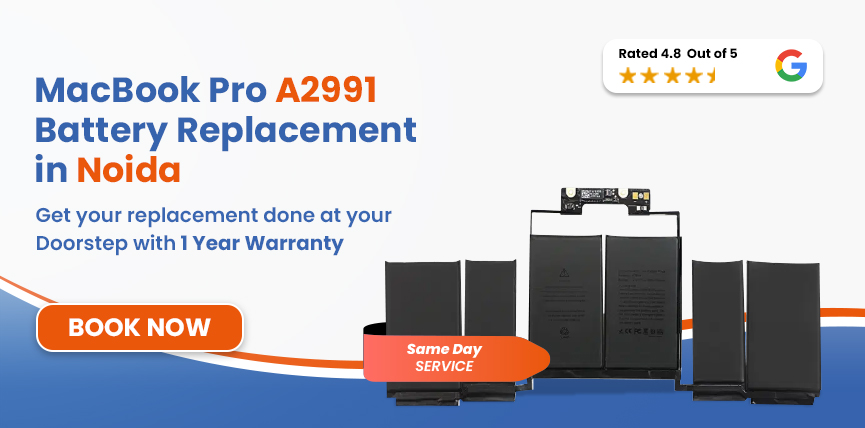
A proper MacBook Pro A2991 battery replacement can be enough to bring back the portability you’re missing. At Lappy Makers, we first check whether the battery is actually the problem with our trained Mac technicians. We also offer free doorstep pickup and delivery across Noida and Delhi NCR/Gurgaon.




Here are some signs you need a new MacBook Pro battery. The wear tends to creep up slowly over time.
Safety Note: A swollen battery is a safety hazard. If you notice the case lifting or a raised trackpad, stop using the MacBook and. contact Lappy Makers as soon as possible. We can arrange professional inspection and doorstep pickup.
Rechargeable batteries gradually lose capacity through normal chemical aging, but certain habits can make it degrade much quicker.
They are the obvious ones. Every battery has a finite useful life, and repeated charging and discharging gradually reduce the amount of energy the cells can store.
Long periods of demanding work in a hot environment and blocked air vents can put additional stress on the battery.
Leaving a lithium-ion battery completely discharged for a long period can cause its charge to fall into a critically low state, which can affect battery health.
Regularly allowing the battery to run down to very low charge levels before plugging it back in adds more stress to the battery over time.
At Lappy Maker, our technicians start off by finding out whether the battery actually needs to be replaced or not:
We look at the symptoms you're experiencing and inspect the MacBook to identify whether the battery is responsible or another power-related component could be involved.
We check the available battery-health information and confirm the exact model before selecting the replacement.
When replacement is confirmed, we select a suitable MacBook Pro A2991 battery replacement with OEM-quality rather than a generic one that won’t even last.
Our expert technicians will carefully remove the existing battery and fit in the replacement while taking appropriate precautions around the internal components.
Once the replacement is done, we test to check if the battery is charging properly and the system is operating normally.
Before we hand over the MacBook A2991 M3 Pro to you, we will do one final test in front of you and make sure the repair has been completed properly.
Services
Free Pickup & Drop
Expert Technicians
1 Year Warranty
Affordable
Quality Spares
Free Diagnosis
Authorised Service
Center


Local
Shop
Lappy Maker
Service
The cost depends on the type of replacement battery and the condition of the MacBook Pro A2991 16-inch. You can send it to us from Noida using our free pickup and delivery, or visit our centres in Nehru Place and Gurgaon for a diagnosis first.
Once we have checked, we’ll tell you what needs to be done and provide the price. The estimated MacBook Pro A2991 battery replacement cost in Noida is around ₹13,000 to ₹20,500. All eligible repairs or replacement comes with up to 6 to 1 year of warranty.
When you’re getting a MacBook repaired or components replaced, the cheapest isn't necessarily the best deal. Here is why Lappy Makers stand out:
We diagnose the device and tell you what needs to be done and any information. You decide whether the repair goes ahead or not.
If the diagnosed problem can't be fixed, you don't pay a repair fee. It's one less thing to worry about when choosing an independent repair service.
We use genuine, high-quality OEM replacement battery parts and don't rely on temporary solutions designed simply to get the MacBook working for a short while.
Eligible repairs come with up to a 1-year warranty, giving you support after the MacBook is returned. Covered repair issues are handled according to the applicable warranty terms.
A degraded battery doesn't always mean you need to stop using the 16-inch MacBook Pro A2991 immediately. But if it's something beyond normal wear and tear, you could face more annoyance every passing moment - unexpected shutdowns, charging problems, etc.
A heavily degraded battery also poses a risk as it can become physically swollen. Don't treat it as an ordinary battery-life problem. What started out as an easy, cheap, few-minute fix can turn into an expensive, long repair.
MacBooks were built to last, so no need to obsess over battery percentage. Just avoid certain thighs tjay put unnecessary stress on it.
If you’re in Noida and looking to get your MacBook replaced, we offer free doorstep pickup and delivery all over Noida, including Delhi NCR. You can also find our physical service centre in Nehru Place or Gurgaon..
Our agents will come over to your doorstep, make you sign off on the components, and take it for repair. We’re open 6 days a weel Mon- Sat. You can visit us anytime starting from 10 AM till 8 PM.
If you’re constantly dealing with random battery problems on your MacBook, it could be high time to get a proper diagnosis. Be it sudden shutdowns, won't turn on without a charger, or battery draining too fast - all call for a MacBook Pro A2991 battery replacement.
Get in touch with us at 9319848444 or WhatsApp us, tell us what's going on, and we'll sort it from there - no matter where you are in Noida. We offer same-day service in most cases, subject to parts availability.
Also worth a look:




I had a awesome experience of repairing my MacBook from Lappy Makers, All and the comfort of sitting at my office. They gave pick and drop service and sameer was courtious and prompt in replying all my queries and deliver a great service experience. Thank you soo much Lappy Makers


It was a wonderful experience getting my MacBook screen repair at Lappy maker. They are very professional when it comes to service. I was pleasantly surprised by their thorough knowledge of the product. They are honest and eager to help out. And I am happy I found an excellent place to get my Apple MacBook fixed at a competitive price and with quality work. I wish them all the best in their endeavors.

Awesome experience, genuine Mac repair service, really helpful staff , they are so ground to earth and polite when they speak and discuss the issue. They will explain everything and even the price is genuine. Overall I really recommend to anyone who wants to repair the MacBook - 5 star rated

We were struggling to MacBook issue, after visiting other repairing store but luckly found Lappy Maker. Now our Mac is completely fine! Thanks!

My Macbook Air was having frequent screen issue. I called these guys up and the engineer was at my place immediately. Took 3 days to figure out the problem of a power circuit which needed to get redone.I was sceptical initially as the costing was coming too much which was very close to the value of laptop. However Mr. Santosh who was the engineer repairing the MacBook had a great attitude of never giving up. My Laptop is working fine again and hopefully it would remain like this for some time. I'm happy with the entire experience and pricing. Would recommend to consult them for all mac laptop related problems.

The MacBook Pro A2991 battery replacement price in Noida depends on the replacement battery and the condition of the MacBook. Estimated service price range from ₹13,000 to ₹20,500.
Shorter battery life, unusually fast battery drain, unexpected shutdowns, charging problems and a “Service Recommended” message can all indicate battery degradation.
Battery drain can be affected by normal battery ageing, demanding applications, display brightness, connected devices and other power-consuming activity. If the battery has suddenly become much worse under the same usage as before, it may be worth having its condition checked.
Battery replacement for the MacBook Pro A2991 can be completed the same day in most cases. The actual turnaround can depend on diagnosis, part availability, and the overall condition of the device.
Yes. The A2991 with M3 Pro uses a built-in rechargeable battery that can be professionally replaced.
If the MacBook is otherwise working well and the battery is the main problem, replacement can be a practical way to extend its useful life.
Stop using the MacBook and don't continue charging it. Contact Lappy Makers as soon as possible to arrange professional inspection and replacement.
Yes. Lappy Makers offers free doorstep pickup and delivery in Noida. The MacBook can be collected from your location, serviced through our Nehru Place or Gurgaon facility, and delivered back after the repair.
A battery replacement does not normally erase your files or applications. Still, keeping a recent backup before any hardware repair is always recommended.

4.8/
40,000+
Happy
Customers

Visit Within
One Hour

On Time
Delivery

Best Customer
Support


Disclaimer : The information on www.lappymaker.com is provided for general informational purposes only. Repair costs, timelines, and service availability may vary based on the device model and the extent of damage after inspection. Lappy Maker is an independent laptop and MacBook repair service provider and is not affiliated with or authorized by Apple Inc. or any other laptop manufacturer.
