


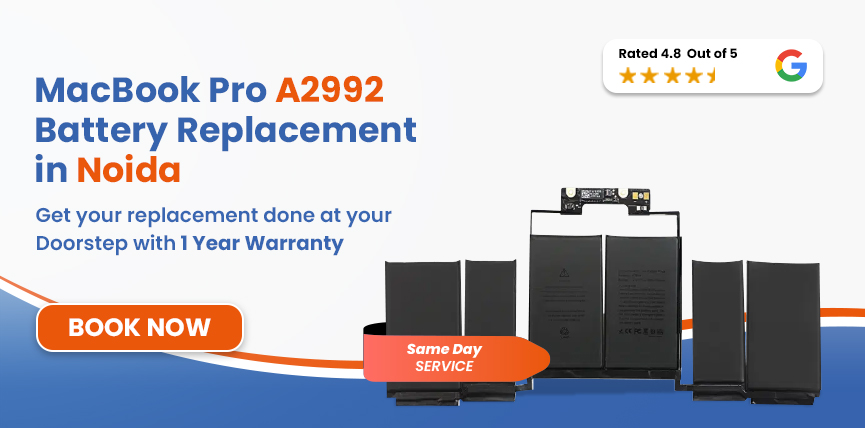

 4.8/ 5
40,000+
Happy Customers
The MacBook Pro A2992 is powerful, but the battery doesn’t last forever. If yours has started to drain faster than it used to, cutting off mid-task, powering off as soon as you unplug, or refusing to hold a charge at all - that’s the battery telling you it has reached its limit.
If you need a fresh battery in Noida, come to Lappy Maker. We have physical centres in Nehru Place and Gurgaon. And for anyone who cannot physically visit us, we provide free pickup and delivery in Noida and Delhi NCR. Over 40,000 customers have trusted us with their machines; we'd be glad to help with yours too.




Most signs of battery issues can overlap with other components' problems, so here’s what to look out for:
Safety Hazard: Is your trackpad feeling harder to press or the bottom case sits unevenly? It could indicate a swollen battery, which is a safety hazard. Get in touch with us immediately, and our technicians will handle it.
Battery wear is inevitable, but a few things push it along faster than it should go.
The A2992 battery is rated for 1,000 charge cycles. When the cycle count gets near, the capacity loss can become much more noticeable.
High temperatures from warm environments such as blocked vents, summers in Noida, or storage degrade lithium-polymer cells, significantly reducing capacity over time.
The M3 Pro and M3 Max are both built for intensive tasks, but sustained high performance and heavy use drain the battery and generate heat, which accelerates long-term wear.
Leaving the MacBook at full charge or running it down near zero can both extremely stress the battery that shortens its useful life.
Here's exactly what happens from the moment your MacBook arrives with us:
When you bring your MacBook in, we will run a full health check fast and determine the real cause without making any assumptions.
The A2992 has two different models - M3 Pro or M3 Max and uses battery model A2977. We verify the exact variant first and confirm the correct part before selecting a replacement.
The OEM battery replacement is matched precisely to the A2992’s 72.6Wh, 11.58V specification so that macOS reads it accurately and health monitoring works correctly from day one.
We take our time and use the right tools when removing the battery, as it is adhesive-bonded near the logic board to ensure a safe, damage-free replacement.
After installation, we run a full charge cycle, verify macOS health readings, test MagSafe charging speeds, and monitor thermals to ensure optimal performance.
One last full inspection before it goes back to you. We check the battery, the trackpad, the keyboard, and chassis alignment to make sure everything is exactly as it should be.
Services
Free Pickup & Drop
Expert Technicians
Up to 1 Year Warranty
No fix No fee
Affordable
OEM Quality Spares
Same Day Service
Dedicated Support
Free Diagnosis
Authorised Service
Center


Local
Shop
Lappy Maker
Service
Mainly parts availability when your MacBook comes in, and the overall condition of the machine on arrival. If anything else comes up during diagnosis that's worth knowing about, we'll flag it clearly and let you decide what to do before any extra work is done.
MacBook Pro A2992 battery replacement is typically priced between ₹9,000 and ₹14,000. This comprehensive service includes the premium battery, professional fitting, full diagnostics, post-repair testing, and a 1-year warranty. We also operate on a strict no-fix, no-fee policy.
You've got options in Noida. Here's what makes Lappy Maker worth choosing for a machine like this:
Our technicians work on MacBooks every day, from older Intel machines to the latest M-series, and that expertise translates directly into better outcomes on every repair.
A number built over 8 years of repairs done right, parts that aren't cut-rate, and customers who came back. Every one of those repairs was someone trusting us with a machine they depended on.
Before starting, we verify internal components with you. After diagnosis, you'll receive a clear price breakdown, and work only begins upon your approval.
Our agents come to you, collect the MacBook, and bring it back once it's done. You don't have to rearrange your day or figure out how to get to Nehru Place or Gurgaon.
A dying battery forces you to stay plugged in, effectively turning your portable laptop into a stationary desktop. Unexpected shutdowns during critical tasks like renders or file saves are more than just annoying - they disrupt your productivity.
If left unchecked, a degrading battery can swell. Within the A2992's tight chassis, this pressure warps the trackpad, keyboard, and casing. A routine battery replacement then becomes a complex, expensive repair.
Small habits that make a genuine difference over the life of a machine this capable:
If you want to get your MacBook Pro A2992 fixed by a trusted service centre but don't want to travel to Delhi NCR, we offer free doorstep pickup and delivery all over Noida. We're also available at our centres in Nehru Place and Gurgaon.
Our agents will come over, make you sign off on components, and take it in for repair. We operate 6 days a week and are available from 10 AM to 8 PM. If you want affordable Mac repairs with premium service, Lappy Maker is the choice.
Fast draining, unexpected shutdowns, a machine that only works when it's plugged in- it's a battery problem, and it's one of the most common things we fix. The M3 Pro or M3 Max inside your MacBook hasn't slowed down. It just needs a battery that can keep up with it again.
Get in touch by calling 9319848444 or sending us a message on WhatsApp , tell us what's going on, and we'll take it from there. Free pickup from Noida, honest quote after diagnosis, same-day service in most cases, and up to a 1-year warranty once the job is done.
Also worth a look:




I had a awesome experience of repairing my MacBook from Lappy Makers, All and the comfort of sitting at my office. They gave pick and drop service and sameer was courtious and prompt in replying all my queries and deliver a great service experience. Thank you soo much Lappy Makers


It was a wonderful experience getting my MacBook screen repair at Lappy maker. They are very professional when it comes to service. I was pleasantly surprised by their thorough knowledge of the product. They are honest and eager to help out. And I am happy I found an excellent place to get my Apple MacBook fixed at a competitive price and with quality work. I wish them all the best in their endeavors.

Awesome experience, genuine Mac repair service, really helpful staff , they are so ground to earth and polite when they speak and discuss the issue. They will explain everything and even the price is genuine. Overall I really recommend to anyone who wants to repair the MacBook - 5 star rated

We were struggling to MacBook issue, after visiting other repairing store but luckly found Lappy Maker. Now our Mac is completely fine! Thanks!

My Macbook Air was having frequent screen issue. I called these guys up and the engineer was at my place immediately. Took 3 days to figure out the problem of a power circuit which needed to get redone.I was sceptical initially as the costing was coming too much which was very close to the value of laptop. However Mr. Santosh who was the engineer repairing the MacBook had a great attitude of never giving up. My Laptop is working fine again and hopefully it would remain like this for some time. I'm happy with the entire experience and pricing. Would recommend to consult them for all mac laptop related problems.

Yes, Lappy Maker offers free doorstep pickup and delivery all across Noida. Our service centres are in Nehru Place and Gurgaon, but you don't need to go anywhere. We collect it, fix it, and bring it back.
Typically between ₹9,000 and ₹14,000. You'll get a clear quote after diagnosis, before any work starts. No hidden charges, no surprises.
The A2992 uses battery model A2977 which is a 72.6Wh, 11.58V lithium-polymer unit rated for up to 1,000 charge cycles.
Same day in most cases, as long as the part is in stock. If you've arranged a pickup from Noida, we'll keep you updated throughout the process.
Stop using it immediately and unplug the charger. A swollen battery is a safety hazard. Contact us straight away as we treat these as urgent cases every time.
Yes, matched to the A2977 battery spec: 72.6Wh, 11.58V. Not a generic substitute. A battery that integrates correctly with macOS and reports health readings accurately.
If your MacBook is still under Apple's standard warranty or AppleCare+, third-party repairs can affect your coverage. Let us know when you get in touch and we'll give you an honest answer before any decisions are made.
Go to Apple menu → About This Mac → System Report → Power. Your cycle count, battery condition, and current maximum capacity are all listed there. If you're approaching 1,000 cycles, replacement is worth planning for even if symptoms haven't fully set in yet.
If the rest of the machine is working well and on an M3 Pro or M3 Max, it almost certainly is worth replacing the battery.

4.8/
40,000+
Happy Customers

Visit Within
One Hour

On Time
Delivery

Best Customer
Support


Disclaimer : The information on www.lappymaker.com is provided for general informational purposes only. Repair costs, timelines, and service availability may vary based on the device model and the extent of damage after inspection. Lappy Maker is an independent laptop and MacBook repair service provider and is not affiliated with or authorized by Apple Inc. or any other laptop manufacturer.
