



 4.8/ 5
40,000+
Happy Customers
Nothing more frustrating than a MacBook Air with a dead battery. When it starts dying in the middle of a meeting, shutting off without warning, or refusing to budge without the charger plugged in, the whole point of the machine starts to feel lost.
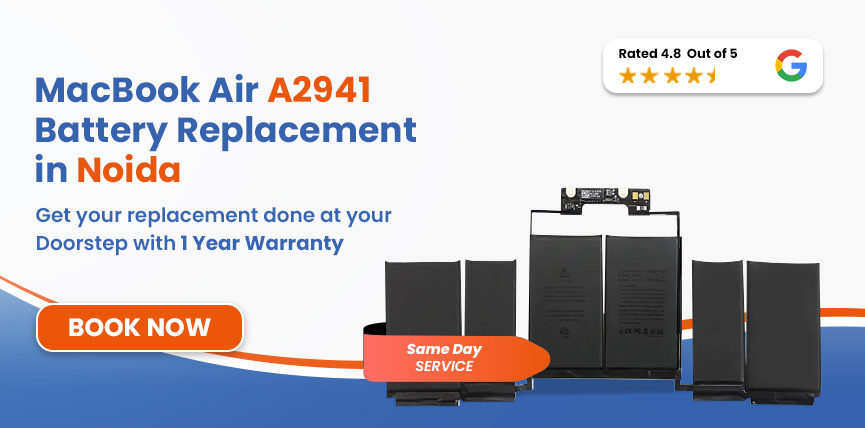
If you're looking for MacBook Air A2941 battery replacement in Noida, Lappy Maker makes it straightforward. We offer free doorstep pickup, and delivery covers the entire city. Your device gets collected from your door, repaired by our trained and certified technicians, and brought back to you.




Before getting into the details, here's a quick way to identify your MacBook model and confirm you've got the right page.
| MacBook Air A2941 - Battery Specifications | |
|---|---|
| Full Model Name | MacBook Air 15-inch (M2, Mid 2023) |
| Model Identifier | A2941 (EMC 8301) |
| Battery Model | A2797 |
| Cell Chemistry | Lithium-Polymer (Li-Po) |
| Capacity | 66.5Wh / 5,762mAh |
| Voltage | 11.54V |
| Cell Count | 6-cell |
| Rated Charge Cycles | 1,000 |
| Estimated Battery Life | Up to 18 hours |
| Charging | MagSafe 3 / USB-C |
To confirm your model number, go to Apple Menu → About This Mac. The model identifier (A2941) is listed there. If it matches, you're right on track.
Before calling anyone, it's worth checking where your battery actually stands. Here's how:
If you've done the health check and the numbers aren't great, here's what battery issues actually look like in real use:
Safety Note: Stiff trackpad or lifted bottom panel? This indicates a swollen MacBook battery, which is a critical safety hazard. Stop using your MacBook immediately, unplug it, and contact us right away for urgent assistance.
Battery wear on the A2941 is almost always a combination of factors, rarely just one thing.
The A2797 battery is rated for 1,000 cycles. If you've been using the machine daily since 2023, you could be approaching that number faster than you'd expect.
The fanless A2941 relies solely on passive cooling. If there’s a lack of active airflow, the battery is subject to constant thermal stress, significantly accelerating lithium-polymer degradation.
Always draining to near zero before charging, or leaving it plugged in at 100% for days, both patterns stress the cells beyond their preferred range.
Non-Apple or uncertified chargers push inconsistent voltage that slowly degrades the battery and charging circuit over time. The damage is quiet and cumulative.
We take your repair seriously. We don't believe in shortcuts, so here is the honest, step-by-step process our trained technicians use to get your MacBook running perfectly again:
We begin with a full software and hardware diagnostic using macOS System Report and third-party diagnostic tools. Only once we've confirmed the battery is genuinely the issue do we proceed.
We physically verify the model identifier on your unit - A2941, EMC 8301 and cross-reference it with the battery model (A2797) before selecting a replacement.
We select an OEM-quality battery replacement matched precisely to the A2941's A2797 specification - 66.5Wh, 11.54V, 6-cell Li-Polymer. This ensures macOS recognises the battery correctly. We don't use generic cells that approximate the spec.
Our technicians gently warm the adhesive to safely release the battery, using non-conductive tools to protect sensitive internal components. Once swapped, we carefully reconnect all cables and secure the new battery.
Once fitted, we run the machine through a controlled first charge cycle. We verify that macOS Battery Health is reporting accurate maximum capacity and cycle count for the new battery. We also confirm that the battery percentage reading is stable and not jumping erratically.
Before the MacBook leaves our bench, we do a full final inspection. We confirm battery health reads correctly in System Settings. Only once everything passes do we pack it up and return it to you.
Services
Free Pickup & Drop
Expert Technicians
Up to 1 Year Warranty
No fix No fee
Affordable
OEM Quality Spares
Same Day Service
Dedicated Support
Free Diagnosis
Authorised Service
Center


Local
Shop
Lappy Maker
Service
The MacBook Air A2941 battery replacement cost depends on parts availability at the time your machine arrives. The overall condition of the machine on arrival also plays a role. If we find anything else during the diagnosis worth flagging, we'll let you know before touching anything. You get a written price breakdown after diagnosis, before we start.
The A2941 shares its battery (A2797) with the A3114 and A3241. Here's a quick reference for all three:
| Model | MacBook Air | Chip | Year | Battery | Est. Replacement Cost |
|---|---|---|---|---|---|
| A2941 | 15-inch | M2 | 2023 | A2797 - 66.5Wh | ₹9,999 – ₹11,190 |
| A3114 | 15-inch | M3 | 2024 | A2797 - 66.5Wh | ₹9,999 – ₹11,190 |
| A3241 | 15-inch | M4 | 2025 | A2797 - 66.5Wh | ₹9,999 – ₹11,190 |
All prices are estimates.
There are plenty of repair options in Noida, but Lappy Maker is the top choice and an affordable Apple Service centre alternative.
Every technician at Lappy Maker works on Apple hardware day in, day out. That depth of focus means we've handled the A2941's quirks before, and we know exactly what to watch for during a battery swap on this specific model.
The customers who keep coming back and sending their friends are the reason that number keeps growing. We don't take a single repair for granted.
You sign off on internal components before we open anything. Work starts only when you approve it. At no point does anything happen to your device without your knowledge.
Our free doorstep pickup and delivery service means our agents come to your home or office wherever you are in Delhi NCR, collect the MacBook, and bring it back once it's done. Free of charge!
If we can’t repair your device, you pay nothing. We charge zero diagnosis or handling fees. You only pay once the job is successfully done.
MacBook battery draining fast today becomes random shutdowns tomorrow, then a machine that won't stay on away from a socket at all. Every week of delay means more degradation and a workflow that has to bend around a laptop that's become unreliable.
A degraded lithium-polymer battery that's left too long can swell. Inside the A2941's slim chassis, that swelling pushes against other components, and once they start warping, you're no longer looking at a battery replacement. You're looking at a more complex, more expensive repair.
Follow these simple habits to extend your MacBook's battery lifespan and maintain peak performance.
If you want to get your MacBook Air A2941 fixed by a trusted service centre but don't want to travel to Delhi NCR, we offer free doorstep pickup and delivery all over Noida. We're also available at our centres in Nehru Place and Gurgaon.
Our agents will come over, make you sign off on components, and take it in for repair. We operate 6 days a week and are available from 10 AM to 8 PM. If you want affordable Mac repairs with premium service, Lappy Maker is the choice.
If your MacBook Air 15-inch M2 is draining too fast, shutting off unexpectedly, or only working when it's plugged in, you may need a MacBook Air A2941 battery replacement - one of the most common repairs we do.
Free pickup from anywhere in Noida, honest price breakdown after diagnosis, no fix no fee guarantee, same-day service in most cases, and up to 1-year warranty once the job is done. You can reach us through 9319848444 or simply contact us on WhatsApp.
Also worth a look:




I had a awesome experience of repairing my MacBook from Lappy Makers, All and the comfort of sitting at my office. They gave pick and drop service and sameer was courtious and prompt in replying all my queries and deliver a great service experience. Thank you soo much Lappy Makers


It was a wonderful experience getting my MacBook screen repair at Lappy maker. They are very professional when it comes to service. I was pleasantly surprised by their thorough knowledge of the product. They are honest and eager to help out. And I am happy I found an excellent place to get my Apple MacBook fixed at a competitive price and with quality work. I wish them all the best in their endeavors.

Awesome experience, genuine Mac repair service, really helpful staff , they are so ground to earth and polite when they speak and discuss the issue. They will explain everything and even the price is genuine. Overall I really recommend to anyone who wants to repair the MacBook - 5 star rated

We were struggling to MacBook issue, after visiting other repairing store but luckly found Lappy Maker. Now our Mac is completely fine! Thanks!

My Macbook Air was having frequent screen issue. I called these guys up and the engineer was at my place immediately. Took 3 days to figure out the problem of a power circuit which needed to get redone.I was sceptical initially as the costing was coming too much which was very close to the value of laptop. However Mr. Santosh who was the engineer repairing the MacBook had a great attitude of never giving up. My Laptop is working fine again and hopefully it would remain like this for some time. I'm happy with the entire experience and pricing. Would recommend to consult them for all mac laptop related problems.

Yes, our free doorstep pickup and delivery service covers all of Noida. Our agents come to your location, collect the MacBook, and return it once the repair is done.
Typically between ₹9,999 and ₹11,190. You'll receive a written price breakdown after diagnosis, before any work starts. No hidden charges, no surprises.
The A2941 uses battery model A2797 with a 66.5Wh, 11.54V, 6-cell lithium-polymer battery rated for up to 1,000 charge cycles.
Go to System Settings → Battery → Battery Health. Check Maximum Capacity and Condition. For a full technical view, go to Apple Menu → About This Mac → System Report → Power.
If we can't complete the repair on your MacBook Air A2941 for any reason, you pay nothing. No diagnosis fee, no handling charge.
Most of the time, we provide same-day MacBook battery replacement - as long as the part is in stock. If you've arranged a pickup from Noida, we'll keep you updated throughout.
Yes, up to a 1-year warranty is included with every eligible battery replacement. If the repair fails within the warranty period, we fix it at no charge.
Completely. Battery replacement has no connection to your storage. Your files, apps, and settings remain exactly as they are. A backup before any repair is still a good habit.
The M2 chip hasn't aged at all, and it's still one of the most efficient processors in any laptop. A battery replacement at a fraction of the cost of a new MacBook Air gives you a machine that feels brand new again.

4.8/
40,000+
Happy Customers

Visit Within
One Hour

On Time
Delivery

Best Customer
Support


Disclaimer : The information on www.lappymaker.com is provided for general informational purposes only. Repair costs, timelines, and service availability may vary based on the device model and the extent of damage after inspection. Lappy Maker is an independent laptop and MacBook repair service provider and is not affiliated with or authorized by Apple Inc. or any other laptop manufacturer.
