



 4.8/ 5
40,000+
Happy Customers
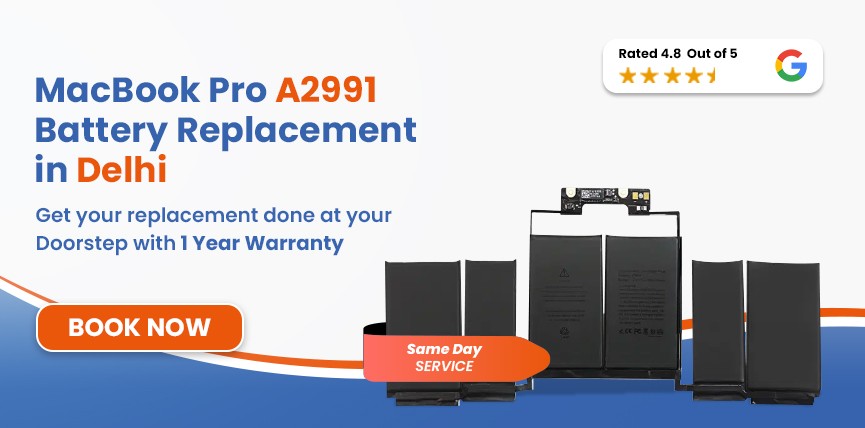
If your MacBook Pro A2991 (M3 Pro, 16-inch, Late 2023) no longer delivers the exceptional battery life it once did, it may be time for a professional battery replacement. A worn-out battery can lead to rapid battery drain, unexpected shutdowns, overheating, and reduced overall performance, affecting your productivity. At Lappy Maker, we specialise in MacBook Pro A2991 battery replacement using OEM-quality batteries installed by experienced MacBook technicians.
We offer same-day battery replacement (subject to battery availability), convenient pickup and drop-off service across Delhi NCR, repairs at our Nehru Place and Gurgaon service centres, transparent pricing, and an assured warranty for complete peace of mind.




A failing battery usually gives several warning signs before it stops functioning properly. Identifying these symptoms early can help prevent unexpected shutdowns, overheating, and expensive repairs while ensuring your MacBook Pro continues to perform reliably.
If your MacBook requires frequent charging despite light or moderate usage, the battery's capacity has likely deteriorated and is no longer holding its original charge.
If your MacBook powers off even when 20–40% battery remains, the battery may no longer be capable of supplying stable voltage. This is a common sign of battery wear.
When macOS displays a "Service Recommended" notification, it indicates that the battery health has degraded and should be inspected or replaced.
If your MacBook immediately switches off after disconnecting the charger, the battery may have reached the end of its service life.
Battery levels jumping unexpectedly, for example, from 70% to 25%, often indicate worn battery cells that can no longer provide consistent readings.
If your MacBook becomes unusually hot while browsing, attending meetings, or working on documents, battery deterioration could be contributing to the excessive heat.
A swollen battery should never be ignored. Common signs include:
If you notice any of these symptoms, stop using your MacBook and seek professional battery replacement immediately.
Services
Free Pickup & Drop
Expert Technicians
Up to 1 Year Warranty
No fix No fee
Affordable
OEM Quality Spares
Same Day Service
Dedicated Support
Free Diagnosis
Authorised Service
Center


Local
Shop
Lappy Maker
Service
Although Apple batteries are designed for long-term durability, all lithium-polymer batteries naturally lose capacity over time. The MacBook Pro 16-inch (Late 2023) uses a 100Wh lithium-polymer battery designed for long battery life under normal conditions.
Every charge cycle slightly reduces battery capacity. As cycle counts increase, battery backup gradually declines.
Video editing, 3D rendering, programming, AI workloads, and virtual machines generate heat that accelerates battery wear.
Using your MacBook in high-temperature environments can permanently reduce battery efficiency.
Keeping your MacBook plugged in continuously or allowing frequent complete discharges may contribute to faster battery ageing.
Leaving your MacBook unused with a completely discharged battery for extended periods can permanently damage battery cells.
Non-certified chargers may supply unstable voltage, reducing charging efficiency and affecting battery longevity.
At Lappy Maker, every battery replacement follows a structured repair process to ensure reliable performance and long-term durability.
Whether you visit our Nehru Place or Gurgaon service centre, or choose our pickup and drop-off service, we ensure a smooth battery replacement experience.
Battery replacement generally costs ₹10,000–₹16,000, depending on battery availability and your MacBook's condition.
The quoted price includes labour charges, professional installation, and complete diagnostics. Applicable taxes are communicated transparently before the repair begins.
A new 16-inch MacBook Pro can cost well above ₹2,00,000 depending on the configuration. Replacing the battery restores portability and extends your MacBook's usable life at a fraction of that investment, making it the smarter choice when the rest of the device is functioning properly.
Most battery replacements are completed on the same day, subject to battery availability. Customers using our pickup and drop-off service across Delhi NCR typically receive their repaired MacBook within the committed turnaround time.

No more unnecessary service center visits!

Assured warranty on all services. No questions asked!

Diagnosis of MacBook is FREE of cost. No hidden charges!

No need to find a technician. Get experts at home!

Lappy Maker is an ISO certified organization. Quality assured!

Only high quality spares are used. Quality assured!
Lappy Maker specialises exclusively in MacBook repairs, allowing us to accurately diagnose battery-related issues and perform replacements with precision. Every repair is carried out by experienced technicians using OEM-quality batteries and professional tools. Before delivery, every MacBook undergoes multiple quality checks to ensure reliable charging, battery performance, and overall stability. Combined with transparent pricing, pickup and drop-off service, and an assured warranty, we make MacBook battery replacement simple and hassle-free.
Ignoring battery issues can result in sudden shutdowns, reduced productivity, overheating, charging failures, and battery swelling. In severe cases, a swollen battery may damage the trackpad, keyboard, or even nearby internal components. Replacing the battery at the right time helps avoid more expensive repairs and keeps your MacBook safe and reliable.
Lappy Maker provides professional MacBook Pro A2991 battery replacement throughout Delhi NCR via our Nehru Place and Gurgaon service centres. Customers can also book convenient pickup and drop-off service from nearby locations.
You can also explore:




I had a awesome experience of repairing my MacBook from Lappy Makers, All and the comfort of sitting at my office. They gave pick and drop service and sameer was courtious and prompt in replying all my queries and deliver a great service experience. Thank you soo much Lappy Makers


It was a wonderful experience getting my MacBook screen repair at Lappy maker. They are very professional when it comes to service. I was pleasantly surprised by their thorough knowledge of the product. They are honest and eager to help out. And I am happy I found an excellent place to get my Apple MacBook fixed at a competitive price and with quality work. I wish them all the best in their endeavors.

Awesome experience, genuine Mac repair service, really helpful staff , they are so ground to earth and polite when they speak and discuss the issue. They will explain everything and even the price is genuine. Overall I really recommend to anyone who wants to repair the MacBook - 5 star rated

We were struggling to MacBook issue, after visiting other repairing store but luckly found Lappy Maker. Now our Mac is completely fine! Thanks!

My Macbook Air was having frequent screen issue. I called these guys up and the engineer was at my place immediately. Took 3 days to figure out the problem of a power circuit which needed to get redone.I was sceptical initially as the costing was coming too much which was very close to the value of laptop. However Mr. Santosh who was the engineer repairing the MacBook had a great attitude of never giving up. My Laptop is working fine again and hopefully it would remain like this for some time. I'm happy with the entire experience and pricing. Would recommend to consult them for all mac laptop related problems.

An OEM-quality replacement battery can deliver several years of dependable performance, depending on your usage patterns and charging habits.
No. Battery replacement does not affect your personal data. However, we recommend taking a backup before any repair.
If your MacBook is still covered under Apple's warranty, third-party repairs may affect warranty eligibility. Check your warranty status before proceeding.
Yes. We use thoroughly tested OEM-quality batteries that are compatible with the MacBook Pro A2991 and deliver reliable performance.
No. A swollen battery poses both safety and hardware risks and should be replaced immediately.
Yes. You can contact Lappy Maker to schedule your repair or arrange pickup and drop-off service.
Yes. Every eligible battery replacement is backed by an assured warranty.
Most replacements are completed on the same day, subject to battery availability.
If your MacBook Pro A2991 is otherwise functioning well, replacing the battery is significantly more economical than investing in a new device while restoring reliable battery performance.

4.8/
40,000+
Happy Customers

Visit Within
One Hour

On Time
Delivery

Best Customer
Support


Disclaimer : The information on www.lappymaker.com is provided for general informational purposes only. Repair costs, timelines, and service availability may vary based on the device model and the extent of damage after inspection. Lappy Maker is an independent laptop and MacBook repair service provider and is not affiliated with or authorized by Apple Inc. or any other laptop manufacturer.
