



 4.8/ 5
40,000+
Happy Customers
Is the 15-inch M2 MacBook battery giving out on you? Dying hours before the day ends, shutting off at percentages that should have plenty left, or refusing to hold any meaningful charge without staying plugged in. These can quickly become a nuisance that affects your work and daily tasks and calls for a diagnosis.
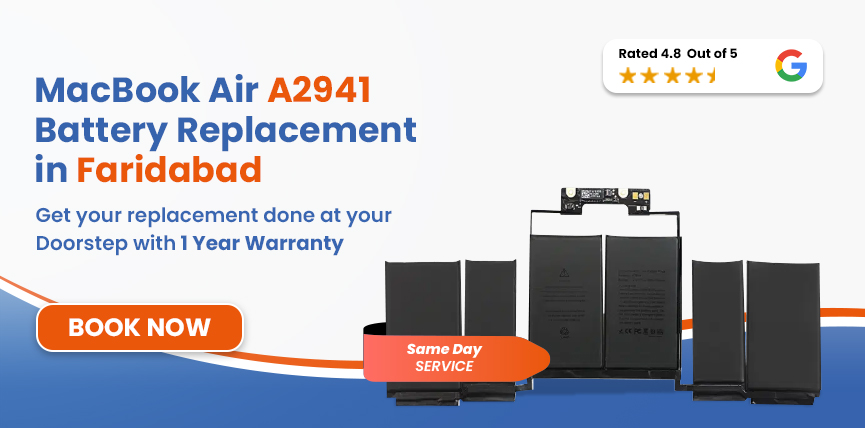
If you're in Faridabad and searching for MacBook Air A2941 battery replacement, Lappy Maker offers free doorstep pickup from anywhere in the city along with a warranty of up to 1 year. Our certified technicians have served over 40,000+ customers to make their MacBook as good as new.




The A2941 is specifically the 15-inch MacBook Air with M2, so confirming the model before ordering a battery is important.
| MacBook Air A2941 - Battery Specifications | |
|---|---|
| Full Model Name | MacBook Air 15-inch (M2, 2023) |
| Model Identifier | A2941 (EMC 8301) |
| Battery Model | A2797 |
| Cell Chemistry | Lithium-Polymer (Li-Po) |
| Capacity | 66.5 Wh |
| Voltage | 11.54V |
| Cell Count | 3-cell |
| Rated Charge Cycles | 1,000 |
| Estimated Battery Life | Up to 18 hours |
| Charging | MagSafe 3 (35W dual USB-C included; 70W USB-C available) |
To confirm your exact model, go to Apple Menu → About This Mac.
If you want to know how your MacBook’s battery is holding up and if it needs replacing, follow these steps:
If the all-day battery life of A2941 is gone, there might be severe degradation, or the cells can no longer hold power. These are the signs you should watch out for.
Safety Hazard: If you believe you have a swelling MacBook battery - raised trackpad, hard-to-click keyboard buttons - it’s important to get it checked quickly. You can contact us today and arrange a service.
The A2941 is a well-designed machine, but a few things work against its battery over time - and Faridabad's conditions make some of them worse.
Faridabad's extreme summer temperatures (44–46°C) combined with the MacBook Air's fanless, passive-cooling design trap heat inside the chassis, placing continuous thermal stress on the battery cells and accelerating degradation.
All rechargeable batteries naturally experience a gradual loss of energy capacity as time passes and they complete more charge cycles, which is simply a part of their lifecycle.
Daily charging habits directly impact how quickly a battery ages. macOS uses tools like Optimised Battery Charging to mitigate this wear and prolong the overall lifespan of cells.
Consistently draining your battery to very low levels before recharging accelerates wear. While rare low-battery instances are fine, frequent deep discharges significantly shorten the total lifespan of the battery.
Lappy Maker technicians use a methodical, precise approach to prevent damaging expensive internal components during replacement.
Full software and hardware diagnostics before the chassis is opened. We check your current cycle count, maximum capacity reading, charging circuit health, MagSafe port condition, and whether any thermal or logic board issues are contributing to the symptoms.
We physically verify the model number (A2941), EMC number (8301), system identifier (Mac14,15), and battery model (A2797) against spec. This is how we confirm the exact part before selecting a replacement.
We match on capacity (66.5Wh), voltage (11.54V), and cell chemistry (Li-Polymer). A replacement that doesn't meet spec will produce inaccurate health readings and affect charge management.
We carefully remove the bottom cover and adhesive to protect internal components. We then install a high-quality OEM battery, ensuring precise connection and proper cable routing before reassembling the chassis.
We verify maximum capacity in macOS, confirm the condition status reads Normal, check charge speed at MagSafe, monitor thermal behaviour under load, and watch for any percentage instability during the test period.
Before returning your device, we conduct a comprehensive final check of battery performance and all hardware functions. We even test the device in front of you, ensuring every aspect meets our standards before handover.
Services
Free Pickup & Drop
Expert Technicians
Up to 1 Year Warranty
No fix No fee
Affordable
OEM Quality Spares
Same Day Service
Dedicated Support
Free Diagnosis
Authorised Service
Center


Local
Shop
Lappy Maker
Service
We provide a clear, written quote after a thorough diagnostic, ensuring complete transparency before any work begins. The MacBook Air A2941 battery replacement price at Lappy Maker ranges from ₹9,999 to ₹11,190 with a strict no-fix, no-fee policy.
| Model | Model | Chip | Year | Battery | Est. Replacement Cost |
|---|---|---|---|---|---|
| A2941 | 15-inch | M2 | 2023 | A2797 - 66.5Wh | ₹9,999 – ₹11,190 |
| A3114 | 15-inch | M3 | 2024 | A2797 - 66.5Wh | ₹9,999 – ₹11,190 |
| A3241 | 15-inch | M4 | 2025 | A2797 - 66.5Wh | ₹9,999 – ₹11,190 |
All prices are estimates.
When considering a battery replacement, choosing a reliable service provider ensures both safety and long-term performance.
If you can’t make it to our service centre in Nehru Place and Gurgaon, our agents can come collect the machine, handle the component sign-off, and return it repaired and ready to go.
Having served over 40,000+ customers, our team has gained extensive, hands-on experience, making us true experts in MacBook battery replacements among other services.
We only use OEM-quality parts to ensure maximum compatibility. Along with a 1-year warranty, so you're never choosing between price and quality.
We operate with complete transparency. You receive a written quote after diagnosis, and work begins only with your approval. If we can't fix your MacBook, you pay absolutely nothing.
Our expertise is built around Apple silicon machines, covering everything from the A2941’s chassis quirks and precise adhesive placement to complex chip repair. We deliver professional-grade service you can trust.
A degraded battery doesn't stabilize at whatever level it's at. It will continue to drop, and the drop compounds over time. Below 80% maximum capacity, runtime becomes noticeably short. Below 70%, macOS starts throttling the M2 chip to protect against what a weakened battery can't sustain.
A swollen battery is a critical issue. Due to the A2941’s thin, fanless design, expanding cells exert internal pressure that can quickly damage your trackpad, chassis, logic board, or display. Prompt replacement is a manageable expense, whereas ignoring it risks severe, costly damage to your MacBook.
These are the top five tips that can help extend your new battery life:
Avoid the commute to Delhi NCR for your MacBook Air A2941 repairs. We provide free doorstep pickup and delivery across Faridabad, while our service centres in Nehru Place and Gurgaon are also ready to assist you.
Our team will handle the secure pickup, including a component sign-off for your peace of mind. We operate six days a week, from 10 AM to 8 PM, ensuring your repair fits your schedule. For affordable, premium Mac service, Lappy Maker is your trusted partner.
The MacBook Air 15-inch (M2, 2023) is still a capable machine; the M2 chip has years of practical life ahead of it. A worn-out battery doesn't change any of that. Whether you're dealing with a "Service Recommended" flag, unpredictable shutdowns, or runtime that's collapsed to a fraction of what it used to be, MacBook Air A2941 battery replacement in Faridabad is a straightforward repair when it's done right.
Lappy Maker offers free doorstep pickup from across Faridabad, a written quote before any work begins, and up to a 1-year warranty on the repair, with no charge at all if we can't fix it. Call 9319848444 or WhatsApp us to book.
Also worth a look:




I had a awesome experience of repairing my MacBook from Lappy Makers, All and the comfort of sitting at my office. They gave pick and drop service and sameer was courtious and prompt in replying all my queries and deliver a great service experience. Thank you soo much Lappy Makers


It was a wonderful experience getting my MacBook screen repair at Lappy maker. They are very professional when it comes to service. I was pleasantly surprised by their thorough knowledge of the product. They are honest and eager to help out. And I am happy I found an excellent place to get my Apple MacBook fixed at a competitive price and with quality work. I wish them all the best in their endeavors.

Awesome experience, genuine Mac repair service, really helpful staff , they are so ground to earth and polite when they speak and discuss the issue. They will explain everything and even the price is genuine. Overall I really recommend to anyone who wants to repair the MacBook - 5 star rated

We were struggling to MacBook issue, after visiting other repairing store but luckly found Lappy Maker. Now our Mac is completely fine! Thanks!

My Macbook Air was having frequent screen issue. I called these guys up and the engineer was at my place immediately. Took 3 days to figure out the problem of a power circuit which needed to get redone.I was sceptical initially as the costing was coming too much which was very close to the value of laptop. However Mr. Santosh who was the engineer repairing the MacBook had a great attitude of never giving up. My Laptop is working fine again and hopefully it would remain like this for some time. I'm happy with the entire experience and pricing. Would recommend to consult them for all mac laptop related problems.

Yes, we provide free doorstep pickup and delivery across Faridabad. Just reach out to us, tell us about the issue you’re facing and we will arrange for a free pickup and drop-off once it’s fixed.
The battery replacement cost for the MacBook Air A2941 starts at around ₹9999. You will get a quote after our technicians diagnose it, and you can decide whether to proceed or not.
The A2941 uses battery model A2797, a 66.5Wh, 11.54V lithium-polymer pack rated for 1,000 charge cycles.
To check your MacBook Battery Health, go to Apple Menu → System Settings → Battery and click the (i) icon next to Battery Health.
At Lappy Maker, if we cannot fix your MacBook Air A2941, you pay nothing at all - no diagnosis fee, no handling charge, and no cost for pickup or delivery.
Yes. We provide up to a 1-year warranty covering the battery and the fitting.
Most replacements are completed the same day, subject to parts availability at the time of booking. The replacement itself typically takes around an hour, plus diagnostic and post-replacement testing time.
Yes. Battery replacement does not affect the SSD or any stored data. That said, keeping a current backup before any hardware work is always a sensible habit.
If your A2941 is still covered by Apple's one-year limited warranty or AppleCare+, check that first. For machines outside that coverage - which now includes most A2941s - independent repair doesn't introduce new risks beyond the repair itself. We use OEM-quality parts and back the work with our own up to 1-year warranty.

4.8/
40,000+
Happy Customers

Visit Within
One Hour

On Time
Delivery

Best Customer
Support


Disclaimer : The information on www.lappymaker.com is provided for general informational purposes only. Repair costs, timelines, and service availability may vary based on the device model and the extent of damage after inspection. Lappy Maker is an independent laptop and MacBook repair service provider and is not affiliated with or authorized by Apple Inc. or any other laptop manufacturer.
