
 4.8/ 5
40,000+
Happy Customers
The whole point of the 15-inch MacBook Air M4 was to leave the charger at home. So why are you eyeing every wall socket in the room? Maybe 60% vanished halfway through one video call. Maybe the screen just went black while the battery icon swore there was plenty left. Either way, that's your battery quietly telling you it's had enough.
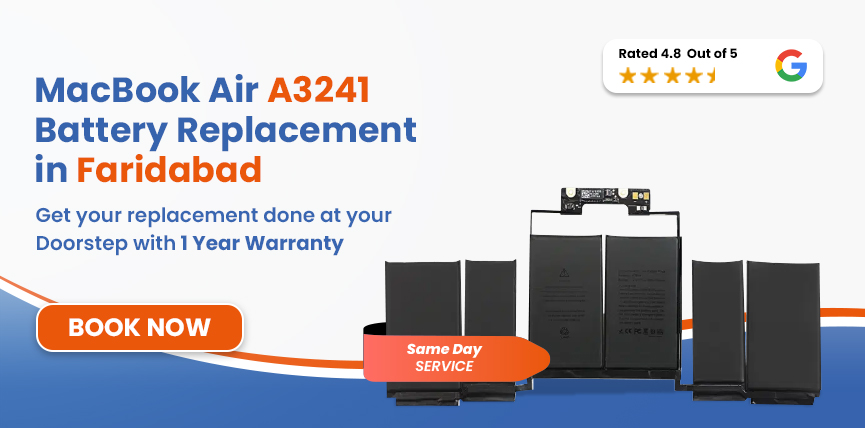
Lappy Maker is an independent, affordable repair service handling MacBook Air A3241 battery replacement in Faridabad. We don't have a centre in Faridabad, so we bring the service to you: free doorstep pickup and delivery from your home or office, with the repair done at our Nehru Place or Gurgaon centre. Over 40,000 customers across Delhi NCR trust us, and we hold a 4.8-star rating.




The A3241 is the 15-inch MacBook Air with the M4 chip, launched in March 2025. A quick check now means the right battery goes into the right laptop.
| MacBook Air A3241 (M4, 2025) — Battery Specifications | |
|---|---|
| Specification | Detail |
| Full Model Name | MacBook Air 15-inch (M4, 2025) |
| Model Identifier | A3241 (EMC 8782) |
| Model Identifier (System) | Mac16,13 |
| Chip | Apple M4 |
| Battery Model | Confirmed at diagnosis (part number verified on-unit before replacement) |
| Cell Chemistry | Lithium-Polymer (Li-Po) |
| Capacity | 66.5 Wh |
| Voltage | 11.54V |
| Cell Count | 6-cells |
| Rated Charge Cycles | 1,000 |
| Estimated Battery Life(When new) | Up to 18 hours |
| Charging | MagSafe 3 (35W dual USB-C adapter included; 70W USB-C adapter available) |
Open Apple Menu → About This Mac to confirm. If it shows the M4 chip and Mac16,13, you have the A3241.
You don't need any tools for this. Just a minute and your laptop:
This Air has no fan, so the battery gets no active cooling. When something's off, the laptop tends to tell you quickly. Here's what to look for:
Safety Hazard: If you suspect a swollen battery, stop using the laptop and contact us immediately. A swollen Li-Po battery can damage the trackpad, the logic board and the chassis. Contact us and we'll arrange a free pickup from your place in Faridabad.
This is a 2025 machine, so it isn't simply old. In our experience, early battery wear usually comes from a handful of everyday things:
A fanless chassis can't shed heat quickly, and when summers hit 44–46°C, a laptop on a bed, in a bag or in a parked car gets hot enough to age the cells much faster.
Leaving the Mac at 100% for days, or draining it to near zero again and again, stresses the cells. You won't notice at first, but it adds up.
The battery is rated for 1,000 cycles. If you plug in and unplug all day, like students and office users often do, you'll get there sooner than you'd guess.
MagSafe 3 follows a specific charging profile that budget adapters can't match. They feed uneven voltage into the battery, wear it down, and can even harm the charging port.
The battery in this Air is held down with stretch-release adhesive and sits close to the logic board, so there's no room for shortcuts. Here's how the repair goes after we collect your laptop from Faridabad:
Before anything is opened, we run full software and hardware tests: cycle count, maximum capacity, charging circuit and MagSafe port condition. We confirm the battery is the real culprit and not something else in the power system.
We verify the model identifier (A3241), EMC number (8782), system identifier (Mac16,13) and the battery part number on your actual unit before choosing a replacement.
The new pack has to match the confirmed 66.5Wh capacity, 11.54V voltage and 6-cell Li-Po build. A mismatched battery can give false readings and confuse macOS charge management.
We remove the base cover, disconnect the battery safely, and ease the adhesive strips out at a low angle so the cells and nearby board stay undamaged. Then the OEM-quality battery is seated and reconnected.
We run a full charge cycle, check that macOS reports the right maximum capacity, measure MagSafe charging speed, and monitor temperature and percentage stability under load.
We test battery health, trackpad, keyboard, display, both Thunderbolt 4 ports, the MagSafe connector and chassis alignment. Your Mac leaves our bench only when everything passes, and then we bring it back to your door in Faridabad.
Services
Free Pickup & Drop
Expert Technicians
Up to 1 Year Warranty
No fix No fee
Affordable
OEM Quality Spares
Same Day Service
Dedicated Support
Free Diagnosis
Authorised Service
Center


Local
Shop
Lappy Maker
Service
The A3241 only arrived in early 2025, so what's in stock when you book has a big say in both price and turnaround. If our diagnosis finds anything beyond the battery, we tell you before any work begins. You always get a written quote after diagnosis and before the repair starts. No surprises.
| Model | MacBook Air | Chip | Year | Battery | Est. Replacement Cost |
|---|---|---|---|---|---|
| A3241 | 15 inch | M4 | 2025 | 72.4Wh | ₹9,999 – ₹11,190 |
| A2941 | 15 inch | M2 | 2023 | A2797 (66.5Wh) | ₹9,999 – ₹11,190 |
| A3114 | 15 inch | M3 | 2024 | A2797 (66.5Wh) | ₹9,999 – ₹11,190 |
All figures are estimates.
A MacBook this new is a serious investment, and who handles it matters just as much as the part that goes inside.
If we can't solve the problem, you pay nothing. Not even for diagnosis or delivery. If we can't fix it, you shouldn't pay for it.
Skip the drive to Delhi or Gurgaon and the waiting around. Our own representative collects it from your home or office and returns it after the repair.
Every battery is matched to your model's exact capacity, voltage and chemistry. If macOS can't read it properly, it isn't a real replacement.
You sign off on the internal components before anything is opened, so you know exactly what you handed over and what came back.
Our trained team works on M-series MacBooks regularly, so the adhesive layout and tight spaces in the A3241 are familiar territory.
A worn battery has a predictable habit of getting worse. Runtime shrinks first, then shutdowns start surprising you, and before long you've got a laptop that only works plugged in. Along the way, macOS holds the M4 chip back to protect against a battery that can't keep up, so a machine built for speed ends up feeling slow and unreliable.
Swelling is the more urgent worry. A fanless 15-inch Air has almost no spare room, so a bloating battery pushes on the trackpad assembly and, eventually, the logic board. Once other parts are damaged, a simple battery swap turns into a bigger and costlier repair. If you notice any lift in the base or the trackpad, don't wait.
A few easy habits will help your new battery go the distance:
Getting your MacBook to us is easy: just book a pickup. Our team collects it from your home or office anywhere in Faridabad, repairs it at our Nehru Place or Gurgaon centre, and delivers it back to your door once it has cleared every quality check.
Pickup and delivery are both free. We're open Monday to Saturday, 10 AM to 8 PM. Call us at 9319848444 to book your free pickup or have any questions. Our customer support team is happy to help you.
A tired battery doesn't take away what your 15-inch M4 Air can do. A "Service Recommended" warning, runtime well short of the rated 18 hours, or shutdowns that cut your day short all lead to the same fix. Done properly, MacBook Air A3241 battery replacement in Faridabad puts the laptop back to how it should feel.
Let us collect it from your door for free. You'll get a written quote after diagnosis and before any work starts, up to a 1-year warranty on the repair, and no charge at all if we can't fix it. Call us at 9319848444 or message us on WhatsApp to book today.
Also worth a look:




I had a awesome experience of repairing my MacBook from Lappy Makers, All and the comfort of sitting at my office. They gave pick and drop service and sameer was courtious and prompt in replying all my queries and deliver a great service experience. Thank you soo much Lappy Makers


It was a wonderful experience getting my MacBook screen repair at Lappy maker. They are very professional when it comes to service. I was pleasantly surprised by their thorough knowledge of the product. They are honest and eager to help out. And I am happy I found an excellent place to get my Apple MacBook fixed at a competitive price and with quality work. I wish them all the best in their endeavors.

Awesome experience, genuine Mac repair service, really helpful staff , they are so ground to earth and polite when they speak and discuss the issue. They will explain everything and even the price is genuine. Overall I really recommend to anyone who wants to repair the MacBook - 5 star rated

We were struggling to MacBook issue, after visiting other repairing store but luckly found Lappy Maker. Now our Mac is completely fine! Thanks!

My Macbook Air was having frequent screen issue. I called these guys up and the engineer was at my place immediately. Took 3 days to figure out the problem of a power circuit which needed to get redone.I was sceptical initially as the costing was coming too much which was very close to the value of laptop. However Mr. Santosh who was the engineer repairing the MacBook had a great attitude of never giving up. My Laptop is working fine again and hopefully it would remain like this for some time. I'm happy with the entire experience and pricing. Would recommend to consult them for all mac laptop related problems.

Yes. Our representative comes to your home or office anywhere in Faridabad, completes the component sign-off, collects the laptop, and brings it back after the repair. Pickup and delivery are free.
The estimated cost is ₹9,999 to ₹11,190. That covers the OEM-quality battery, fitting, testing, free pickup and delivery, and up to a 1-year warranty.
It uses a 66.5Wh, 11.54V, 6-cell lithium-polymer battery. We confirm the exact part number on your unit at diagnosis. The A3241, A3114 and A2941 share the same capacity, but part numbers can differ, so we verify before choosing the replacement.
Go to Apple Menu → System Settings → Battery and click the (i) next to Battery Health. Check Maximum Capacity and the Condition field. For cycle count and full charge capacity, open About This Mac → System Report → Power.
If we can't fix the battery problem on your A3241, you pay nothing. There's no diagnostic fee, handling charge, or pickup and delivery cost.
Yes. Eligible repairs carry up to a 1-year warranty covering the new battery and the fitting.
Most repairs are completed the same day, subject to parts availability. The battery swap itself takes about an hour, with diagnosis and post-fit testing on top. Pickup and delivery time within Faridabad is additional.
Yes. A battery replacement doesn't touch your SSD, files, apps or settings. Taking a fresh backup before any hardware repair is still a good habit.
If your A3241 is still under Apple's one-year limited warranty or AppleCare+, check that coverage first. Lappy Maker is an independent service and not affiliated with Apple. Once you're outside Apple's coverage, independent repair adds no extra risk beyond the repair itself, and we back our work with up to a 1-year warranty.

4.8/
40,000+
Happy Customers

Visit Within
One Hour

On Time
Delivery

Best Customer
Support


Disclaimer : The information on www.lappymaker.com is provided for general informational purposes only. Repair costs, timelines, and service availability may vary based on the device model and the extent of damage after inspection. Lappy Maker is an independent laptop and MacBook repair service provider and is not affiliated with or authorized by Apple Inc. or any other laptop manufacturer.