



 4.8/ 5
40,000+
Happy Customers
Your MacBook Air was built to keep you untethered, yet now you're anchored to an outlet. It's frustrating when a machine designed for mobility starts dying by early afternoon, cutting out at 40%, or forcing you into a constant search for power. A degraded battery fundamentally changes how you use your laptop.
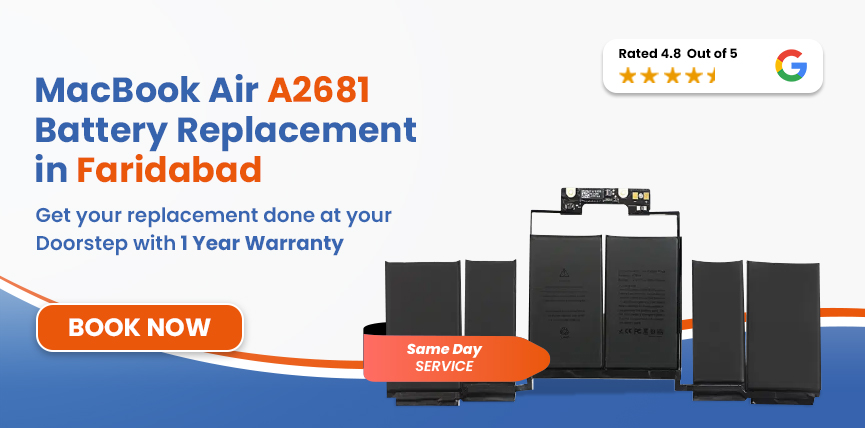
We recommend visiting Lappy Maker. We handle MacBook Air A2681 battery replacement in Faridabad with free doorstep pickup from anywhere in the city. Our trained technicians will take a look, replace and get it back to you running like it used to.




The A2681 is specifically the 13-inch MacBook Air with M2, so confirming the model before ordering a battery is important.
| MacBook Air A2681 - Battery Specifications | |
|---|---|
| Full Model Name | MacBook Air 13-inch (M2, 2022) |
| Model Identifier | A2681 (EMC 4074) |
| Battery Model | A2669 |
| Cell Chemistry | Lithium-Polymer (Li-Po) |
| Capacity | 52.6 Wh |
| Voltage | 11.54V |
| Cell Count | 3-cell |
| Rated Charge Cycles | 1,000 |
| Estimated Battery Life | Up to 18 hours |
| Charging | MagSafe 3 |
To confirm your model, go to Apple Menu → About This Mac. The model identifier shows up under the chip name.
Common point of confusion: The M3 (A3113) and M2 (A2681) models look identical and share the same A2669 battery. If you are unsure which you have, check the chip name (M2 vs M3) or model identifier in About This Mac.
If you're noticing any of these behaviors, it's a clear indicator that your MacBook Air battery is nearing the end of its lifespan.
Safety Note: A swelling lithium-polymer cell under pressure can rupture, which can damage the logic board, the trackpad, and the display assembly. If you're seeing any sign of this in your A2681, contact Lappy Maker right now for prompt examination.
Batteries wear down; that's unavoidable. But a few things accelerate it faster than normal, and the A2681 has some specific considerations worth knowing.
Ambient heat stresses the battery even when idle. Compounded by intensive tasks like video calls or multitasking, this thermal load quickly negates the M2 chip's efficiency advantages.
While the A2681 uses passive cooling, under sustained load, heat builds up inside the chassis with nowhere to escape. Repeated thermal cycles accelerate cell degradation.
Leaving the machine at 100% for extended periods, or frequently running it down to near zero, both apply unnecessary stress on a lithium-polymer cell.
The A2681's battery is rated for 1,000 charge cycles. If you've had this machine since 2022 and used it daily, you may be at or approaching that number.
The A2681 uses a model A2669 tri-fold battery secured with stretch-release adhesive. It sits near the logic board and requires precise handling to avoid damaging the SMC circuitry or puncturing the cells. Here is our replacement process:
We run a full software and hardware diagnostic before the chassis is opened. This checks your current cycle count, maximum capacity, charging circuit health, MagSafe port condition, and thermal readings.
We physically verify your model identifier, EMC number (EMC 4074), system identifier (Mac14,2), and cross-reference the battery model number (A2669) against Apple's spec. This is how we confirm the exact replacement before we select it.
We match on Wh (52.6), voltage (11.54V), cell count (3), and cell chemistry (Li-Polymer). Not a generic pack. macOS reads battery data through the SMC - if the replacement isn't spec-matched, health readings and charge management won't behave correctly.
The bottom cover is removed and the stretch-release adhesive strips are carefully pulled at a low angle to avoid tearing under the battery pack. The A2669 sits alongside the trackpad cable assembly, so routing is handled with care to avoid disturbing that connection. The new battery is seated, connected, and the bottom cover refitted.
We run a full charge cycle and verify the health reading in macOS. Thermal behaviour is also monitored under load to confirm the new cells are stable.
Before it leaves the bench, we check battery health, keyboard, trackpad click, MagSafe port, both USB-C/Thunderbolt ports, headphone jack, display, and chassis alignment. If everything doesn't pass, it doesn't leave. Simple as that.
Services
Free Pickup & Drop
Expert Technicians
Up to 1 Year Warranty
No fix No fee
Affordable
OEM Quality Spares
Same Day Service
Dedicated Support
Free Diagnosis
Authorised Service
Center


Local
Shop
Lappy Maker
Service
Battery condition confirmed at diagnosis, machine condition on arrival, and parts availability at the time of booking all factor into the final quote. If anything unexpected comes up during the diagnostic, we will let you know. Estimated MacBook M2 battery replacement cost is around ₹7,499 – ₹12,499.
If you have another 14-inch MacBook Pro, Lappy Maker also services other models from the same size range.
| Model | Chip | Year | Battery | Est. Replacement Cost |
|---|---|---|---|---|
| MacBook Air 13" (A2681) | M2 | 2022 | A2669 / 52.6Wh | ₹7,499 – ₹12,499 |
| MacBook Air 13" (A3113) | M3 | 2024 | 7A2669 / 52.6Wh | ₹7,499–₹10,000 |
All prices are estimates. Final cost confirmed after diagnosis. Price includes battery, fitting, full testing, and up to a 1-year warranty.
We stand apart through our commitment to transparency, customer-centric service, and years of proven technical expertise.
You retain full control over every step of the process. Before we ever open your machine, you sign off on your internal components. Work only begins once you give your explicit approval.
We've built our expertise around Apple silicon machines and know the A2681's quirks, adhesive types, connector placements, and SMC behaviour.
Get premium, OEM-quality repairs backed by up to 1-year warranty without the premium price tag.
We come to you. Our agent collects the machine, handles the component sign-off at your door, and returns it repaired. You don't need to find us, we find you.
Call, WhatsApp, or email our own customer representatives (not bots, not a call centre) are available throughout your repair. You always know what's happening with your machine.
A degraded battery can get worse as time passes. First, it's just shorter runtime. Then it's unpredictable shutdowns. Then macOS starts throttling performance to protect what's left of the cells, and suddenly your M2 chip starts feeling sluggish. By that point, you're carrying a laptop that only works plugged in, runs warm, and performs below what a much cheaper machine would.
The swelling scenario is different. When a lithium-polymer cell swells, the pressure it puts on the chassis works against everything around it. A swollen battery that's left untreated can go from a ₹13,000 fix to a ₹30,000+ repair involving the trackpad, the board, or both.
A few habits you should follow to extend the life of your A2681 battery:
If you want to get your MacBook Air A2681 fixed by a trusted MAC service centre but don't want to travel to Delhi NCR, we offer free doorstep pickup and delivery all over Faridabad. We're also available at our centres in Nehru Place and Gurgaon.
Our agents will come over, make you sign off on components, and take it in for repair. We operate 6 days a week and are available from 10 AM to 8 PM. If you want affordable Mac repairs with premium service, Lappy Maker is the choice.
Your MacBook Air A2681 was built to last and the M2 chip is still very much worth having in 2026. Whether you're getting random shutdowns, stuck at 40% maximum capacity, or seeing that "Service Recommended" flag every time you open your laptop, a battery replacement is a straightforward fix that brings the machine back to full day-use.
Lappy Maker handles MacBook Air A2681 battery replacement in Faridabad with free doorstep pickup, transparent pricing, and up to a 1-year warranty on the repair. Call us on 9319848444 or WhatsApp us to get started.
Also worth a look:




I had a awesome experience of repairing my MacBook from Lappy Makers, All and the comfort of sitting at my office. They gave pick and drop service and sameer was courtious and prompt in replying all my queries and deliver a great service experience. Thank you soo much Lappy Makers


It was a wonderful experience getting my MacBook screen repair at Lappy maker. They are very professional when it comes to service. I was pleasantly surprised by their thorough knowledge of the product. They are honest and eager to help out. And I am happy I found an excellent place to get my Apple MacBook fixed at a competitive price and with quality work. I wish them all the best in their endeavors.

Awesome experience, genuine Mac repair service, really helpful staff , they are so ground to earth and polite when they speak and discuss the issue. They will explain everything and even the price is genuine. Overall I really recommend to anyone who wants to repair the MacBook - 5 star rated

We were struggling to MacBook issue, after visiting other repairing store but luckly found Lappy Maker. Now our Mac is completely fine! Thanks!

My Macbook Air was having frequent screen issue. I called these guys up and the engineer was at my place immediately. Took 3 days to figure out the problem of a power circuit which needed to get redone.I was sceptical initially as the costing was coming too much which was very close to the value of laptop. However Mr. Santosh who was the engineer repairing the MacBook had a great attitude of never giving up. My Laptop is working fine again and hopefully it would remain like this for some time. I'm happy with the entire experience and pricing. Would recommend to consult them for all mac laptop related problems.

Yes. Lappy Maker offers free doorstep pickup and delivery across Faridabad. You don't need to visit any service centre; our agent comes to your location, has you sign off on your internal components before anything is opened, and returns the machine repaired.
Estimates typically fall in the ₹7,499 – ₹12,499 range. The final price is confirmed after a free diagnosis.
The A2681 uses battery model A2669 - a 52.6Wh, 11.54V, 3-cell lithium-polymer pack rated for 1,000 charge cycles. We verify the battery model number and EMC number physically before selecting the replacement.
If we can't fix your MacBook Air A2681, you pay nothing - no diagnosis fee, no handling charge, no pickup or return cost.
Yes. All Lappy Maker battery replacements come with up to a 1-year warranty. This covers the replacement battery and the fitting.
Most battery replacements are completed the same day, subject to parts availability at the time of booking. The replacement itself typically takes about an hour, plus diagnostic and testing time.
Yes. Battery replacement does not affect storage. Your data stays on the SSD and is not accessed during the repair. That said, it's always good practice to have a recent backup before any hardware work.
If you’re still within Apple's one-year limited warranty or covered by AppleCare+, it's worth checking that first. For machines outside warranty coverage, independent repair does not create new risks beyond what the repair itself involves.
Yes, the A2681 and A3113 share the same battery model (A2669, 52.6Wh, 11.54V). The chassis is mechanically nearly identical. However, the M3 (A3113) has a different system identifier and may have firmware-level differences in how battery data is read through the SMC.

4.8/
40,000+
Happy Customers

Visit Within
One Hour

On Time
Delivery

Best Customer
Support


Disclaimer : The information on www.lappymaker.com is provided for general informational purposes only. Repair costs, timelines, and service availability may vary based on the device model and the extent of damage after inspection. Lappy Maker is an independent laptop and MacBook repair service provider and is not affiliated with or authorized by Apple Inc. or any other laptop manufacturer.
