



 4.8/ 5
40,000+
Happy
Customers
A MacBook Pro that can’t hold a charge is a different machine entirely. Dying two hours into a meeting, shutting off with no warning, or the constant need to keep the charger close. Even tweaking with settings and brightness doesn’t help. They’re pretty frustrating when you want to work from anywhere.
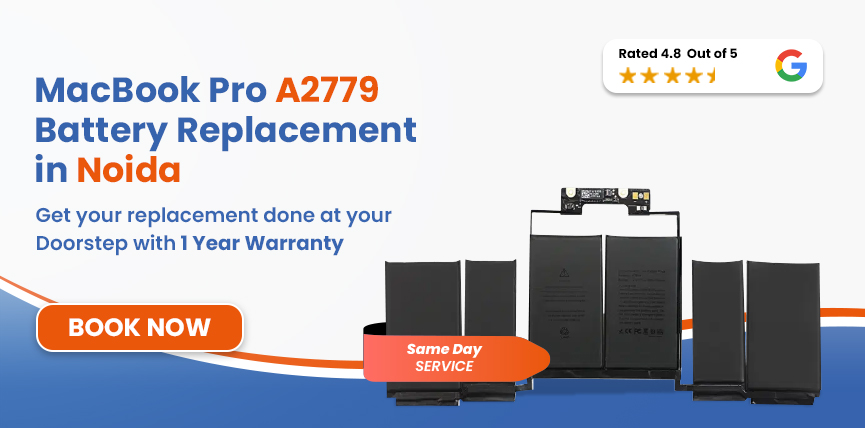
At Lappy Maker Noida centre, we offer premium MacBook Pro A2779 battery replacement service with OEM parts. Our trained technicians diagnose first and confirm repair/replacement. With up to 1 year warranty, we’re the top choice of over 40,000 customers.




Some of these might have been building for a while. If more than two or three feel familiar, it's time to get it looked at.
Safety Note: Is the trackpad harder to click than usual? Does the bottom of the MacBook feel slightly raised? These are signs of a swollen battery. Please stop using the laptop straight away, and contact us immediately for a professional diagnosis.
It's worth understanding what's behind the decline, because it's rarely just one thing.
The A2779's 69.6Wh battery is rated for 1,000 charge cycles. So if the MacBook A2779 battery is approaching that number, capacity loss may become noticeable.
Even though the M2 Pro and M2 Max were built for serious work, long heavy tasks draw hard from the battery, which may cause faster cell degradation.
Heating - either from intensive work or the environment can directly accelerate the breakdown of lithium-polymer cells more than almost any other factor. Especially during summers in Noida.
Always draining the MacBook Pro battery to near zero or running it on 100% charge for days at a time can stress the cells, which compounds over months.
At Lappy Maker, we make no assumptions or shortcuts. Here's exactly what the process looks like:
We start with a thorough check of battery health and the full charging circuit. We confirm the actual cause before touching anything, so you're not paying to fix the wrong thing.
We verify the exact configuration of your A2779 - whether it's the M2 Pro or M2 Max variant and confirm the correct battery part before proceeding.
The replacement battery is matched to the A2779's 69.6Wh, 11.46V specification. A battery that matches the original in capacity and voltage so macOS reads it correctly from day one.
The A3113's battery is adhesive-bonded inside the slim chassis, close to the logic board. So, we take our time here so surrounding components don't get touched in the process.
Once fitted, we run the machine through a full charge cycle, verify health readings in macOS, test MagSafe 3 charge speed, and check thermal behaviour under load.
Before the MacBook leaves our bench, we run one final inspection. Everything gets checked, not just the part that was replaced.
Services
Free Pickup & Drop
Expert Technicians
1 Year Warranty
Affordable
Quality Spares
Free Diagnosis
Authorised Service
Center


Local
Shop
Lappy Maker
Service
Parts availability at the time your MacBook comes in is the main variable, along with the overall condition of the machine on arrival. If we find anything else during diagnosis worth flagging, we'll tell you upfront and wait for your go-ahead before doing anything about it.
MacBook Pro A2779 battery replacement in Noida typically falls between ₹9,000 and ₹14,000. That covers everything - the battery, fitting, pre-repair diagnosis, calibration, post-repair testing, and up to a 1-year warranty on the completed repair.
We work on Macs every single day. Here is what that actually means for you:
Our core expertise is Apple hardware. Our technicians focus specifically on MacBooks, ensuring they have the specialized experience to solve any issue correctly the first time.
We have over 40,000 customers with a 4.8 rating on Google, built over years of repairs done right.
Quote after diagnosis, before work starts. You sign off on internal components before we open anything. Payment only after the repair is done and tested.
Free doorstep pickup and delivery covers all of Noida, Gurgaon, and Delhi NCR. If coming to our centre doesn't fit your schedule, just let us know, and we'll arrange the rest.
The slight inconvenience can become a real problem. What starts as faster-than-expected draining turns into frequent unexpected shutdowns, then a machine that won't function at all away from a socket. Every week that passes, the battery degrades further.
A degraded battery left too long can swell. Inside the A2779's compact 14-inch chassis, a swollen battery pushes outward against the trackpad, keyboard, and body of the MacBook. Turning what would have been a clean repair into something significantly more involved and expensive.
Worth building into your routine, especially after a fresh replacement:
If you’re in Noida and looking for MacBook Air A3114 battery replacement, you don’t need to visit our service centre in Nehru Place and Gurgaon. We offer free doorstep pickup and delivery across the whole of Noida and Delhi NCR.
When you choose doorstep pickup, our representative comes to your location, has you sign off on the internal components before the MacBook is taken in, and brings it to our service centre for diagnosis and repair. We’re open Mon-Sat from 10 AM to 8 PM.
A machine powered by the M2 Pro or M2 Max shouldn't be spending its days tethered to a wall. If your MacBook Pro 14-inch is draining fast, shutting down unexpectedly, or barely surviving without the charger, replacing it can help.
Get in touch with Lappy Maker at 9319848444 or WhatsApp us, tell us what's going on, and we'll sort it from there. Clear quote upfront, same-day service in most cases, free pickup across Noida and up to a 1-year warranty when the job is done.
Also worth a look:




I had a awesome experience of repairing my MacBook from Lappy Makers, All and the comfort of sitting at my office. They gave pick and drop service and sameer was courtious and prompt in replying all my queries and deliver a great service experience. Thank you soo much Lappy Makers


It was a wonderful experience getting my MacBook screen repair at Lappy maker. They are very professional when it comes to service. I was pleasantly surprised by their thorough knowledge of the product. They are honest and eager to help out. And I am happy I found an excellent place to get my Apple MacBook fixed at a competitive price and with quality work. I wish them all the best in their endeavors.

Awesome experience, genuine Mac repair service, really helpful staff , they are so ground to earth and polite when they speak and discuss the issue. They will explain everything and even the price is genuine. Overall I really recommend to anyone who wants to repair the MacBook - 5 star rated

We were struggling to MacBook issue, after visiting other repairing store but luckly found Lappy Maker. Now our Mac is completely fine! Thanks!

My Macbook Air was having frequent screen issue. I called these guys up and the engineer was at my place immediately. Took 3 days to figure out the problem of a power circuit which needed to get redone.I was sceptical initially as the costing was coming too much which was very close to the value of laptop. However Mr. Santosh who was the engineer repairing the MacBook had a great attitude of never giving up. My Laptop is working fine again and hopefully it would remain like this for some time. I'm happy with the entire experience and pricing. Would recommend to consult them for all mac laptop related problems.

Same day in most cases, as long as the part is in stock when your MacBook comes in.
Typically between ₹9,000 and ₹14,000. You'll get a precise quote after diagnosis, before any work starts.
The A2779 has a 69.6Wh lithium-polymer battery rated for 1,000 charge cycles. Apple rates it for up to 18 hours of Apple TV playback and up to 12 hours of wireless web use.
Not at all. The battery has no connection to your storage or files; everything stays exactly as it is.
Yes, stop using it immediately and unplug the charger. A swollen battery is a genuine safety hazard. Contact us straight away and we'll treat it as an urgent case.
Yes, up to a 1-year warranty is included as standard with every eligible repair. If the repair fails within the warranty period, we fix it at no charge.
Yes. Our free doorstep pickup and delivery covers all of Noida, Gurgaon and Delhi NCR. Just reach out and we'll sort the logistics around your schedule.
If everything else on your A2779 is working well, replacing the battery is the clear choice. You keep a seriously capable machine for a fraction of what a new MacBook Pro would cost.
Go to Apple menu → About This Mac → System Report → Power. Your current cycle count is listed there alongside battery condition and maximum capacity.

4.8/
40,000+
Happy
Customers

Visit Within
One Hour

On Time
Delivery

Best Customer
Support


Disclaimer : The information on www.lappymaker.com is provided for general informational purposes only. Repair costs, timelines, and service availability may vary based on the device model and the extent of damage after inspection. Lappy Maker is an independent laptop and MacBook repair service provider and is not affiliated with or authorized by Apple Inc. or any other laptop manufacturer.
