



 4.8/ 5
40,000+
Happy Customers
If you have a MacBook Pro and now it’s dying by noon, shutting off mid-work, or even refusing to turn on unless it’s plugged in, there may be an issue with the battery. The issue becomes more obvious when you can physically see deformities in the battery.
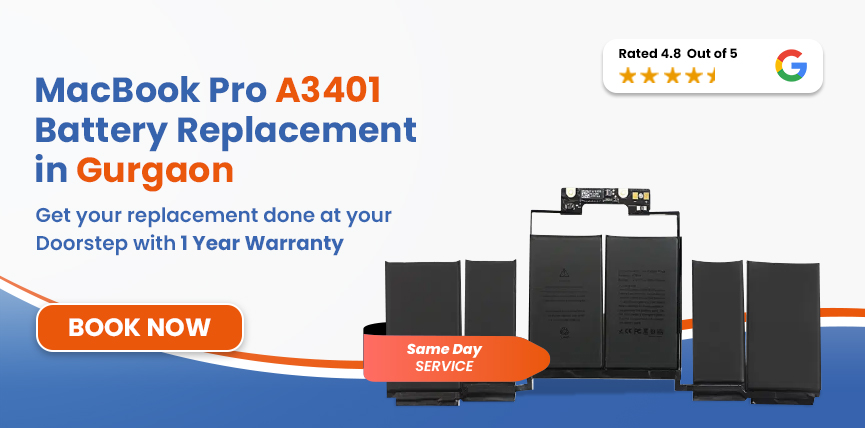
Lappy Maker has a team of highly trained technicians who handle these kinds of issues every day. We use OEM-quality parts and have helped over 40,000+ customers across our centres in Gurgaon and Delhi NCR. If you need MacBook Pro A3401 Battery Replacement, we’ll diagnose and fix it with the utmost care.




There are some signs your MacBook Pro M4 shows when its battery has degraded significantly.
Safety Hazard: If your trackpad feels raised, it could mean a swollen battery which is dangerous. Contact us right away, as we treat it on an urgent basis.
Here are some of the most common habits that can cause a MacBook Pro A3401 battery to deteriorate quickly:
The A3401’s 72.4Wh battery is rated for around 1000 charge cycles, and everyday use can chip away at the number.
Getting warm during heavy tasks is normal, but if it becomes extreme and frequent (especially with how hot Gurgaon’s summer is), it can degrade the Lithium-polymer battery faster.
While the M4 Pro is built for serious work, its heavy power draw and heat will compound the wear and tear over time.
Always running it down to zero before charging, or leaving it plugged in at 100% for days on end - both extremes wear the cells out faster.
When we first receive your device, we will confirm what the actual issue is, which helps us distinguish a degraded battery from other components’ problems.
We also offer a free doorstep pickup and delivery if you cannot physically visit our centres.
Services
Free Pickup & Drop
Expert Technicians
Up to 1 Year Warranty
No fix No fee
Affordable
OEM Quality Spares
Same Day Service
Dedicated Support
Free Diagnosis
Authorised Service
Center


Local
Shop
Lappy Maker
Service
The MacBook Pro battery replacement cost depends on different factors, such as the service centre, availability of the part, and the overall condition your device is in.
If you visit Lappy Maker, you will get premium quality components at affordable rates. A MacBook Pro A3401 battery can be replaced between ₹10,999 and ₹14,000 and comes with a warranty of up to 6 months to 1 year.
We aim to become a ‘choice’ rather than an ‘option’ in the eyes of our customers. We carry out our repairs and replacements with care and attention.
We are not a general repair centre. We specialise in MacBook repairs - from battery, screen, and motherboard to chip-level work, all of it. It’s what we do day in and day out.
Over 40,000+ customers have trusted us to handle their devices with care, which we take great pride in. Ensuring customer satisfaction is our biggest priority.
We have customers sign off on internal components, so you always know nothing’s been touched without your knowledge.
Can’t make it to our physical centre? Our delivery drivers can pick up your device, get them repaired and deliver it to your doorstep.
Our goal is to make Mac repairs budget-friendly and accessible for everyone without compromising on quality.

No more unnecessary service center visits!

Assured warranty on all services. No questions asked!

Diagnosis of MacBook is FREE of cost. No hidden charges!

No need to find a technician. Get experts at home!

Lappy Maker is an ISO certified organization. Quality assured!

Only high quality spares are used. Quality assured!
What starts as faster-than-normal draining can turn into random shutdowns and a device that won’t turn on when away from a socket. The longer you wait, the further the battery degrades.
It is even more critical if there is significant swelling, which physically pushes against multiple components and is also a huge fire risk.
While we cannot stop the battery from naturally degrading, there are a few ways to make it last longer:
Our service centre is available at Gurgaon Sector 67 near Axis Bank (also at Nehru Place and Delhi NCR).
We handle MacBook Pro A3401 battery replacements directly, and you’re welcome to visit anytime between 10 AM and 7 PM.
If that doesn't work for your schedule, our free pickup and delivery service has you covered. Simply contact us at 9319848444 or WhatsApp us.
If your MacBook Pro M4 isn’t lasting the way it used to or draining way too fast, the battery is almost certainly the reason. It’s one of the common concerns our customers come in with.
With over 8 years of service experience, we know exactly how to get your devices working. Get in touch, tell us what's happening, and we'll take it from there. Same-day service in most cases (subject to parts availability)
Related pages worth a look:




I had a awesome experience of repairing my MacBook from Lappy Makers, All and the comfort of sitting at my office. They gave pick and drop service and sameer was courtious and prompt in replying all my queries and deliver a great service experience. Thank you soo much Lappy Makers


It was a wonderful experience getting my MacBook screen repair at Lappy maker. They are very professional when it comes to service. I was pleasantly surprised by their thorough knowledge of the product. They are honest and eager to help out. And I am happy I found an excellent place to get my Apple MacBook fixed at a competitive price and with quality work. I wish them all the best in their endeavors.

Awesome experience, genuine Mac repair service, really helpful staff , they are so ground to earth and polite when they speak and discuss the issue. They will explain everything and even the price is genuine. Overall I really recommend to anyone who wants to repair the MacBook - 5 star rated

We were struggling to MacBook issue, after visiting other repairing store but luckly found Lappy Maker. Now our Mac is completely fine! Thanks!

My Macbook Air was having frequent screen issue. I called these guys up and the engineer was at my place immediately. Took 3 days to figure out the problem of a power circuit which needed to get redone.I was sceptical initially as the costing was coming too much which was very close to the value of laptop. However Mr. Santosh who was the engineer repairing the MacBook had a great attitude of never giving up. My Laptop is working fine again and hopefully it would remain like this for some time. I'm happy with the entire experience and pricing. Would recommend to consult them for all mac laptop related problems.

Most replacements are done the same day as long as we have the part in stock. You can always call us ahead and schedule an appointment.
Apple rates the MacBooks at around 1,000 charge cycles. After that, you will start to notice a real drop in how long a full charge lasts.
It usually costs between ₹10,999 and ₹14,000 depending on the condition of the device and diagnosis.
Yes, your data will be safe during and after the repair, as a battery has nothing to do with your storage or files.
If the battery is swollen, stop using it straight away and don’t leave it charging. Bring it to us, and we’ll patch it up on priority.
Yes, we use OEM-quality batteries that are matched to the A3401’s 72.4Wh spec. We only want the best quality for our customers.
Yes. Our free pickup and delivery service covers the entire Delhi NCR region. Just get in touch, and we'll arrange everything.
If your MacBook is still under Apple’s warranty, third-party repairs can affect coverage, but don’t worry, we offer a 6-month to 1-year warranty ourselves.
If everything else on your A3401 is working well, replacing the battery makes far more sense. You keep a seriously capable device for a fraction of the cost of a new one.

4.8/
40,000+
Happy Customers

Visit Within
One Hour

On Time
Delivery

Best Customer
Support


Disclaimer : The information on www.lappymaker.com is provided for general informational purposes only. Repair costs, timelines, and service availability may vary based on the device model and the extent of damage after inspection. Lappy Maker is an independent laptop and MacBook repair service provider and is not affiliated with or authorized by Apple Inc. or any other laptop manufacturer.
