



 4.8/ 5
40,000+
Happy Customers
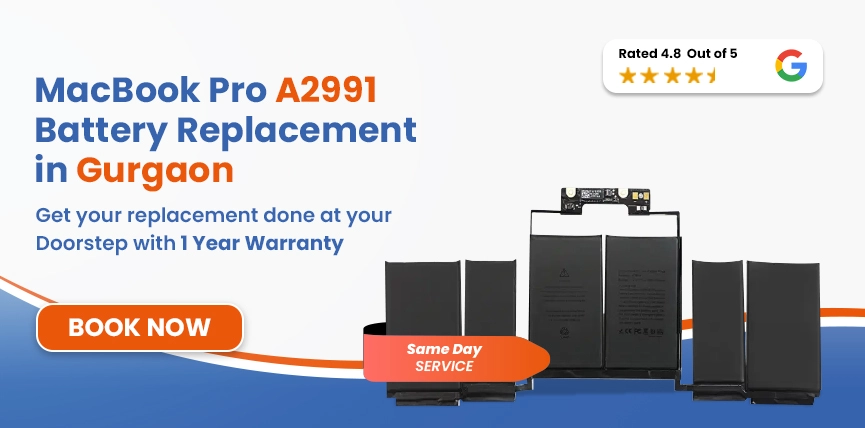
If your A2991 isn't lasting the way it used to, shutting off out of nowhere, or only staying alive while it's plugged in, that's almost always the battery. Not the chip, not macOS. Just the battery getting old, same as any laptop eventually does.
We handle A2991 battery replacements at Lappy Maker with OEM-quality parts. We check first, though. On a Pro-line machine that's usually running heavier workloads, it's worth confirming the battery's actually the problem before anything gets opened up.
Same day when the part's in stock. Pickup and drop anywhere in Gurgaon. Walk-in at Nehru Place or Gurgaon. Pricing you know before we start. Warranty when it's done.




Probably needs one, if any of this sounds familiar.
Runs hot doing basically nothing. Some warmth during heavy editing or compiling is expected on a 16-inch Pro. Hot during a browser tab or a video call is a different problem, and the battery's usually mixed up in it somewhere.
One more, worth calling out separately, because it needs faster action.
Don't sit on this one. A swollen battery physically pushes on the trackpad, the keyboard, the whole case. If the trackpad feels raised or clicks strangely, the bottom panel's bulging outward, or there's a gap where the bottom cover doesn't sit flush anymore any of that, stop using it right away.
Batteries degrade with use; there's no way around that, regardless of how much you paid for the machine.
Charge cycles are the baseline reason. Every battery's rated for a set number, and once you're past that, runtime from a full charge just isn't what it used to be.
Workload plays a bigger role on this model than on a lighter machine. Long editing sessions, running Xcode for hours, keeping several demanding apps open at once none of that's easy on the battery, and it wears down faster than casual browsing ever would.
Heat speeds all of this up more than people expect. A warm room, blocked airflow underneath, leaving it somewhere it can't breathe all of it ages the cells faster than normal use ever would.
Charging habits matter too. Always plugged in, or always drained down to zero- either extreme wears things down over months, not overnight, but steadily.
Not using it for a stretch? Don't store it dead. That's one of the quicker ways to cause damage that sticks around.
And chargers. Cheap ones, uncertified ones they don't push consistent power, and that inconsistency adds up the longer you rely on them.
Services
Free Pickup & Drop
Expert Technicians
Up to 1 Year Warranty
No fix No fee
Affordable
OEM Quality Spares
Same Day Service
Dedicated Support
Free Diagnosis
Authorised Service
Center


Local
Shop
Lappy Maker
Service
Not just pull one out, drop one in.
First, we check everything: battery, charging circuit, connected parts to actually confirm the battery's the cause before touching anything.
The old battery comes out carefully. Right tools. Nothing else gets disturbed.
Then testing charging speed, health numbers, overall stability.
Last step, one more full check before it comes back to you. We'd rather find an issue here than have you find it a week later.
Come to Nehru Place or Gurgaon, or book a pickup, and we'll come to you instead.
Somewhere between ₹13,000 and ₹20,500, generally. Depends on whether the battery's in stock and the overall shape the rest of the MacBook's in.
Covers the battery, fitting it, checking it before we start, calibrating and testing it after, and a warranty once it's back in your hands.
Set that against a new MacBook Pro, and there's really no comparison. The rest of the machine's fine; the battery's the only issue fix the battery.
Same day most of the time, if the part's there. Pickup customers hear from us throughout, not just at drop-off and pickup.
Because we see this every day, on Pro-line machines especially. There's nothing about A2991 battery problems we haven't already dealt with.
We check before we open anything. Real parts, not the cheapest thing on the shelf. Pricing you know before we start. Pickup available if Nehru Place or Gurgaon doesn't work for you.

No more unnecessary service center visits!

Assured warranty on all services. No questions asked!

Diagnosis of MacBook is FREE of cost. No hidden charges!

No need to find a technician. Get experts at home!

Lappy Maker is an ISO certified organization. Quality assured!

Only high quality spares are used. Quality assured!
It doesn't stay small. Wait long enough, and you get shutdowns mid-task, a laptop that's hot for no obvious reason, maybe one that just won't take a charge at all anymore. Swelling's worse pushes on the trackpad, and the keyboard can warp the case.
Fixing it now costs less than dealing with what a swollen battery does later. If it's been off for a while now, that's usually the sign to stop waiting.
Nothing complicated here; it just adds up over time, especially on a machine that's regularly pushed hard.
That covers most of it, honestly.
You don't need to be close to Nehru Place or Gurgaon. Pickup and drop-off cover all of Gurgaon. We come get it, fix it, test it properly, and bring it back.
Also worth checking:




I had a awesome experience of repairing my MacBook from Lappy Makers, All and the comfort of sitting at my office. They gave pick and drop service and sameer was courtious and prompt in replying all my queries and deliver a great service experience. Thank you soo much Lappy Makers


It was a wonderful experience getting my MacBook screen repair at Lappy maker. They are very professional when it comes to service. I was pleasantly surprised by their thorough knowledge of the product. They are honest and eager to help out. And I am happy I found an excellent place to get my Apple MacBook fixed at a competitive price and with quality work. I wish them all the best in their endeavors.

Awesome experience, genuine Mac repair service, really helpful staff , they are so ground to earth and polite when they speak and discuss the issue. They will explain everything and even the price is genuine. Overall I really recommend to anyone who wants to repair the MacBook - 5 star rated

We were struggling to MacBook issue, after visiting other repairing store but luckly found Lappy Maker. Now our Mac is completely fine! Thanks!

My Macbook Air was having frequent screen issue. I called these guys up and the engineer was at my place immediately. Took 3 days to figure out the problem of a power circuit which needed to get redone.I was sceptical initially as the costing was coming too much which was very close to the value of laptop. However Mr. Santosh who was the engineer repairing the MacBook had a great attitude of never giving up. My Laptop is working fine again and hopefully it would remain like this for some time. I'm happy with the entire experience and pricing. Would recommend to consult them for all mac laptop related problems.

A few years usually. Mostly comes down to how you use and charge it, not just the part itself.
No, totally separate. Back up anyway, just in case, before any repair.
If it's still covered, third-party work could affect that. Ask us if you're not sure, happy to explain before you book anything.
Tested for the A2991 specifically. Not some generic battery with a sticker slapped on.
No. It's a safety thing, not just a look thing. Stop using it, get it sorted.
Sure, message the team, and we'll set up the repair or a pickup.
It's real. Comes standard with every eligible replacement.
Same day usually, assuming stock's there when you bring it in.
If everything else on it works fine, fix the battery. Costs a fraction of a new MacBook Pro, and you keep the machine you're used to.

4.8/
40,000+
Happy Customers

Visit Within
One Hour

On Time
Delivery

Best Customer
Support


Disclaimer : The information on www.lappymaker.com is provided for general informational purposes only. Repair costs, timelines, and service availability may vary based on the device model and the extent of damage after inspection. Lappy Maker is an independent laptop and MacBook repair service provider and is not affiliated with or authorized by Apple Inc. or any other laptop manufacturer.
