



 4.8/ 5
40,000+
Happy Customers
Is your MacBook battery draining faster than it used to? Or have you started planning your day around the charger, and a few hours of work suddenly turns into a search for a power socket? Even worse if macOS is showing a “Service Recommended” warning.
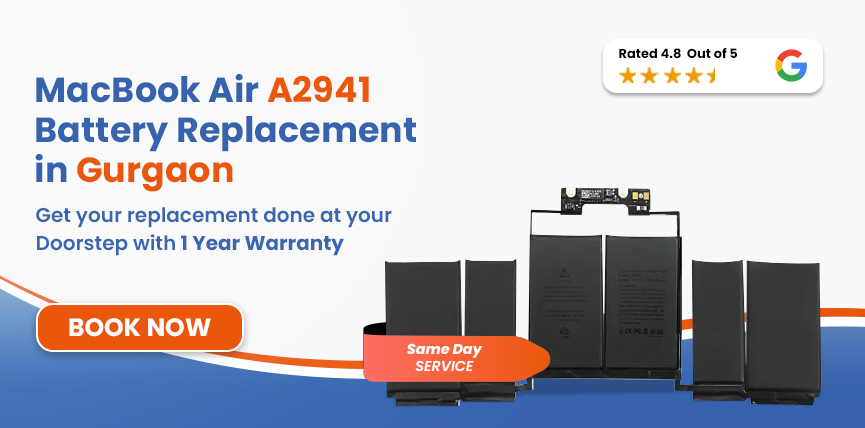
We suggest coming by the Lappy Makers Gurgaon or Nehru Place centre. We provide MacBook Air A2941 battery replacement handled by our experienced technicians - usually within a day. With free pick-up and drop-off, OEM quality assurance and up to a year of assured warranty, we have over 8 years of expertise to give you the best service your devices deserve.




If you’re wondering if your MacBook Battery has significantly degraded, here are signs you need a new battery.
Safety Note: Think your battery is swollen? Don't wait it out. Stop using the device and contact us to arrange a diagnosis and doorstep pickup.
Services
Free Pickup & Drop
Expert Technicians
Up to 1 Year Warranty
No fix No fee
Affordable
OEM Quality Spares
Same Day Service
Dedicated Support
Free Diagnosis
Authorised Service
Center


Local
Shop
Lappy Maker
Service
In our experience, degradation through daily usage is normal but some habits can quicken the battery’s ageing process:
Every battery has a finite useful life. As it goes through repeated charging and discharging, the cells gradually lose some of their original ability to store energy.
Apple specifically identifies temperature history as one of the factors that contributes to battery chemical ageing. Even worse when working during the hot Gurgaon summer.
Charging your MacBook with random, inauthentic chargers can significantly degrade the battery and overstress it
Video editing, multiple demanding applications, and other sustained workloads can consume considerably more energy than ordinary browsing, which can increase battery drain.
When you come to us to get a MacBook Air A2941 Battery Replacement, we first look at the symptoms, which helps us separate a genuinely degraded battery from problems involving other components.
You can bring the MacBook to us, or use our free doorstep pickup and delivery service if visiting the centre isn't convenient.
The exact MacBook battery replacement cost depends on the replacement part and what the initial diagnosis finds. Official Apple service centres charge the most, while unreliable third parties may provide phony parts.
At Lappy Makers, the cost itself usually lands around ₹6,500 to ₹9,999. Any repair or replacement done by us comes with our own assured warranty of up to 1 year, so that you will have peace of mind throughout.
Our service is designed to be different, with parts appropriate for the device, such as the MacBook Air A2941, and repairs are carried out with the utmost care.
You get up to 6 months to 1 year of quality assurance on repaired and replaced parts. We want our customers to have zero stress over their device’s health.
We provide authentic OEM parts for your devices, combining quality and affordability into a single service.
Gurgaon being the centre of commercial and corporate hubs, we understand you might not have the time to drop in. That’s why we offer free pickup and delivery across the entire Delhi NCR region.
Over 40,000 customers across Gurgaon and Delhi NCR have rated us 4.8 on Google - just in line with our commitment to ensure maximum customer satisfaction.
Our goal is to provide a professional, convenient, and more affordable repair option for customers who want to keep using their existing MacBook.

No more unnecessary service center visits!

Assured warranty on all services. No questions asked!

Diagnosis of MacBook is FREE of cost. No hidden charges!

No need to find a technician. Get experts at home!

Lappy Maker is an ISO certified organization. Quality assured!

Only high quality spares are used. Quality assured!
A battery that has lost capacity isn't necessarily an emergency. The bigger issue is convenience. You may find yourself charging several times a day or avoiding tasks because you aren't confident the MacBook will stay powered.
If the battery is physically swollen, however, the situation changes. Don't keep using or charging a swollen battery. Bring it to Lappy Maker and have it inspected instead.
You don't need to obsess over every percentage point. A few sensible habits are enough.
The goal isn't to keep the battery at some perfect percentage all the time. It's simply to avoid unnecessary stress.
You don't have to figure out whether the battery, charger, or another component is responsible before contacting us. That's what we are here for.
Call us on 9319848444 or simply WhatsApp us. You can also visit our Gurgaon location at Sector 67 near Axis Bank. We’re also available at Nehru Place and the wider NCR region.
We are open 6 days a week, from 10 AM to 8 PM, and free doorstep pickup and delivery are available.
If the battery is the only thing letting down an otherwise perfectly good MacBook, battery replacement can be a much more practical choice than buying another laptop. It will also cost significantly less than buying a new one.
Bring your A2941 to the Lappy Makers Gurgaon location, Nehru Place, or any of our available locations in Delhi NCR. You can also arrange a doorstep pickup. We'll diagnose it first, tell you what needs to be done, and get it fixed.
Also worth a look:




I had a awesome experience of repairing my MacBook from Lappy Makers, All and the comfort of sitting at my office. They gave pick and drop service and sameer was courtious and prompt in replying all my queries and deliver a great service experience. Thank you soo much Lappy Makers


It was a wonderful experience getting my MacBook screen repair at Lappy maker. They are very professional when it comes to service. I was pleasantly surprised by their thorough knowledge of the product. They are honest and eager to help out. And I am happy I found an excellent place to get my Apple MacBook fixed at a competitive price and with quality work. I wish them all the best in their endeavors.

Awesome experience, genuine Mac repair service, really helpful staff , they are so ground to earth and polite when they speak and discuss the issue. They will explain everything and even the price is genuine. Overall I really recommend to anyone who wants to repair the MacBook - 5 star rated

We were struggling to MacBook issue, after visiting other repairing store but luckly found Lappy Maker. Now our Mac is completely fine! Thanks!

My Macbook Air was having frequent screen issue. I called these guys up and the engineer was at my place immediately. Took 3 days to figure out the problem of a power circuit which needed to get redone.I was sceptical initially as the costing was coming too much which was very close to the value of laptop. However Mr. Santosh who was the engineer repairing the MacBook had a great attitude of never giving up. My Laptop is working fine again and hopefully it would remain like this for some time. I'm happy with the entire experience and pricing. Would recommend to consult them for all mac laptop related problems.

The cost of MacBook Air A2941 battery replacement in Gurgaon usually lands around ₹6,500 to ₹9,999, but the final price depends on the replacement part and condition of the device.
If the battery life is noticeably shorter, the percentage drops fast, and a “Service recommended” message pops up, those are telltale signs that the battery needs to be replaced.
Fast battery drain can have several causes, including normal battery degradation, demanding applications, connected devices, display brightness and other power-consuming activity.
Many replacements can be completed the same day when the required part is available. The exact turnaround depends on diagnosis, parts availability and the condition of the device.
Yes. The A2941 has a built-in rechargeable battery, so replacement is a professional repair rather than something designed as a routine user-removable battery swap.
Stop using the MacBook immediately, avoid charging it and contact us to arrange professional inspection and replacement.
If your A2941 still performs well and the battery is the main problem, replacement can be the more economical option.
Yes, we provide free doorstep pickup and delivery for people who do not have much free time. Give us a call, and we will arrange the service.

4.8/
40,000+
Happy Customers

Visit Within
One Hour

On Time
Delivery

Best Customer
Support


Disclaimer : The information on www.lappymaker.com is provided for general informational purposes only. Repair costs, timelines, and service availability may vary based on the device model and the extent of damage after inspection. Lappy Maker is an independent laptop and MacBook repair service provider and is not affiliated with or authorized by Apple Inc. or any other laptop manufacturer.
