



 4.8/ 5
40,000+
Happy Customers
There’s something particularly frustrating about a brand-new machine that has to be tethered to its charger. The MacBook Pro 14-inch M4 launched in late 2024 as Apple’s most accessible entry into the Pro lineup. But if yours is already showing battery strain, unexpected drop-offs, declining runtime - the battery could be degraded.
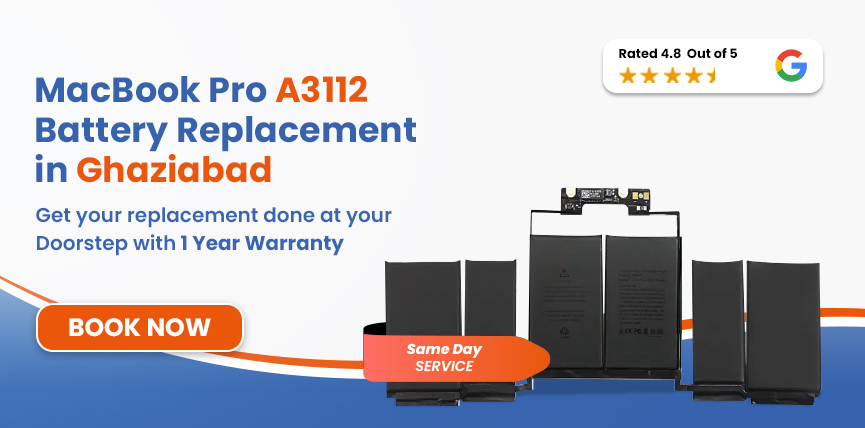
Lappy Maker handles MacBook Pro A3112 battery replacement in Ghaziabad with free doorstep collection from your home or office, professional servicing at our Nehru Place or Gurgaon centre, and return delivery once it's cleared our quality checks. Certified technicians, OEM-grade parts, up to a 1-year warranty, and a no fix, no fee guarantee on every job.




The A3112 is specifically the 14-inch MacBook Pro with the base M4 chip. Make sure you confirm the model before a replacement is selected to avoid a wrong-part fit.
| MacBook Pro A3112 - Battery Specifications | |
|---|---|
| Specification | Detail |
| Full Model Name | MacBook Pro 14-inch (M4, Late 2024) |
| Model Identifier | Mac16,1 |
| Battery Model | Confirmed at diagnosis |
| Cell Chemistry | Lithium-Polymer (Li-Po) |
| Capacity | 72.4 Wh |
| Voltage | 11.58V |
| Cell Count | 6-cell |
| Rated Charge Cycles | 1,000 |
| Estimated Battery Life | Up to 24 hours |
| Charging | MagSafe 3, 70W included |
To verify your model: Apple Menu → About This Mac. M4 chip with Mac16,1 as the system identifier confirms the A3112.
Running a quick health check before booking gives you a clearer picture of what you're dealing with.
Battery problems on the MacBook 14-inch M4 tend to reveal themselves gradually before they become impossible to ignore.
Safety Note: A swelling battery can cause damage to adjacent parts such as the trackpad, logic board, etc which can become an expensive repair if it’s impacted. If you notice any changes to the chassis, stop using it and contact us right away.
The MacBook A3112 M4 is a late 2024 machine, so age alone isn’t the primary culprit for most owners. Watch out for these factors that tend to drive early capacity loss.
The ambient temperatures in Ghaziabad during hot summers without coolers or AC can heavily impact and accelerate the chemical ageing of the Li-Po battery. MacBook A3112 battery also has no dedicated cooling pathway, which makes it worse.
The M4 chip is efficient and can perfectly run demanding applications, but this also means it will accumulate charge cycles faster than lighter users. So, the limit of 1000 charge cycles can arrive sooner than most expect.
Keeping the MacBook at 100% for long periods or frequently letting it drain to near-zero before charging puts unnecessary chemical stress on the cells, which can compound quietly over months.
The MacBook A3112 ships with a 70W MagSafe 3 adapter for a reason. Using third-party chargers with inconsistent voltage profiles pushes the battery management system to compensate continuously, which wears the cells out.
The A3112's lithium-polymer battery is secured with adhesive beneath the trackpad assembly, sitting close to the logic board. The replacement process is precise and sequential, and the right order matters throughout.
Everything starts with a full software and hardware diagnostic. We check the cycle count, maximum capacity, charging circuit integrity, Nagsafe port condition, and so on. We identify if performance issues are caused by something other than the battery.
We physically confirm the model identifier (A3112), EMC number (8623), system identifier (Mac16,1), and the battery part number directly on the unit. The A3112 shares its chassis with the A3401 and A3185, so on-unit verification is the only reliable way to ensure the correct replacement is selected.
The replacement is spec-matched to the A3112's confirmed capacity (72.4Wh) and cell chemistry (Li-Polymer). We use exclusively OEM-quality batteries - a non-spec replacement will produce incorrect health readings in macOS and disrupt how the SMC manages charging.
The base cover is removed and adhesive strips are released at the correct angle and controlled tension. The OEM replacement is seated, connected, and the chassis reassembled in the correct sequence.
We run a complete charge cycle after installation, verify maximum capacity in macOS, confirm the condition reads Normal, test charge speed at MagSafe, monitor thermal behaviour under load, and observe percentage stability throughout the testing period.
Before the A3112 leaves our bench, we check battery health, trackpad, keyboard, display, all three Thunderbolt ports, HDMI, SD card slot, MagSafe connector, headphone jack, and chassis alignment.
Services
Free Pickup & Drop
Expert Technicians
Up to 1 Year Warranty
No fix No fee
Affordable
OEM Quality Spares
Same Day Service
Dedicated Support
Free Diagnosis
Authorised Service
Center


Local
Shop
Lappy Maker
Service
As a late 2024 model, parts availability at the time of booking is a real factor in both pricing and turnaround. Anything flagged during the diagnostic beyond the battery is communicated to you before work begins. MacBook Pro A3112 battery replacement in Ghaziabad is estimated at ₹10,999–₹20,000.
Estimated Cost — A3112 & Related MacBook Pro 14-inch Models
| Model | Chip | Year | Battery | Est. Replacement Cost |
|---|---|---|---|---|
| A3112 | M4 | Late 2024 | 72.4Wh | ₹10,999 – ₹20,000 |
| A3401 | M4 Pro | Late 2024 | 72.4Wh | ₹10,000 – ₹21,000 |
| A3185 | M4 Max | Late 2024 | 72.4Wh | ₹10,999 – ₹20,000 |
| A2992 | M3 Pro / M3 Max | Late 2023 | 72.6Wh | ₹9,999 – ₹19,000 |
All figures are starting estimates. The confirmed price is provided in writing after diagnosis and covers the battery, fitting, full testing, and up to a 1-year warranty.
Here is why Lappy Maker is the trusted choice for replacing your MacBook Pro M4 battery in Ghaziabad:
Our agent collects the MacBook from your door anywhere in Ghaziabad, completes the component sign-off with you before anything is opened, and returns it once the repair is done.
Every battery we fit is matched to your model's confirmed specs (capacity, voltage, cell chemistry). Generic aftermarket packs that macOS can't read correctly aren't a solution we offer.
Premium repair quality at a significantly lower price than Apple's authorised service network, without any reduction in parts standard or process rigour.
Our team of certified technicians has handled thousands of repairs and replacements - from batteries and chip-level repair to RAM upgrades over the years. We know the MacBook inside and out.
If we can't resolve the issue with your MacBook Pro A3112, nothing is charged - no diagnostic fee, no pickup cost, no delivery charge.
Every charge cycle that passes on a degraded battery widens the gap between what the machine is capable of and what it's actually delivering. macOS responds to a declining battery by pulling back on what the M4 chip is permitted to do - a chip built for fast, responsive professional work starts to feel ordinary. Workflow tasks that should take seconds stretch out. The machine becomes progressively less useful untethered.
Battery swelling is where the cost calculation changes entirely. Inside the 14-inch chassis, there's limited space for a cell under physical pressure to expand into. The logic board and trackpad assembly are both within reach of an expanding battery, and damage to either adds significant repair cost on top of what the battery replacement would have been.
Following a few best practices after installing a new battery can help maximize its overall lifespan and daily performance.
Lappy Maker doesn't have a walk-in branch in Ghaziabad, but the free doorstep pickup and delivery service spans the whole city and the surrounding Delhi NCR area. If you've searched for MacBook Pro A3112 battery replacement near me in Ghaziabad, the answer is that we come to you - no commute, no inconvenient drop-off.
Our agent arrives at your home or workplace, handles the component sign-off on the spot before the MacBook is collected, and returns it once it's cleared all quality checks at our Nehru Place or Gurgaon service centre. Available Monday to Saturday, 10 AM to 8 PM. Call 9319848444 to book.
The MacBook Pro 14-inch M4 is Apple's most recent entry into the Pro line and a machine worth keeping in full working condition. A battery that can't keep pace with the chip underneath it is the one thing standing between you and what the hardware was designed to deliver. Whether it's a service flag you've been ignoring, shutdowns that come without warning, or a runtime that falls well short of the rated 24 hours - MacBook Pro A3112 battery replacement in Ghaziabad is a direct, fixable problem.
Lappy Maker offers free doorstep pickup across Ghaziabad, a written quote after diagnosis, up to a 1-year warranty on the repair, and no charge whatsoever if we can't fix it. Call 9319848444 or reach us on WhatsApp to book your service today.
Also worth a look:




I had a awesome experience of repairing my MacBook from Lappy Makers, All and the comfort of sitting at my office. They gave pick and drop service and sameer was courtious and prompt in replying all my queries and deliver a great service experience. Thank you soo much Lappy Makers


It was a wonderful experience getting my MacBook screen repair at Lappy maker. They are very professional when it comes to service. I was pleasantly surprised by their thorough knowledge of the product. They are honest and eager to help out. And I am happy I found an excellent place to get my Apple MacBook fixed at a competitive price and with quality work. I wish them all the best in their endeavors.

Awesome experience, genuine Mac repair service, really helpful staff , they are so ground to earth and polite when they speak and discuss the issue. They will explain everything and even the price is genuine. Overall I really recommend to anyone who wants to repair the MacBook - 5 star rated

We were struggling to MacBook issue, after visiting other repairing store but luckly found Lappy Maker. Now our Mac is completely fine! Thanks!

My Macbook Air was having frequent screen issue. I called these guys up and the engineer was at my place immediately. Took 3 days to figure out the problem of a power circuit which needed to get redone.I was sceptical initially as the costing was coming too much which was very close to the value of laptop. However Mr. Santosh who was the engineer repairing the MacBook had a great attitude of never giving up. My Laptop is working fine again and hopefully it would remain like this for some time. I'm happy with the entire experience and pricing. Would recommend to consult them for all mac laptop related problems.

Yes. Our agent comes to your location anywhere in Ghaziabad, completes the component sign-off before anything is collected, and returns the MacBook once the repair is finished.
The starting estimate is ₹10,999–₹20,000, covering the OEM battery, fitting, testing, and up to a 1-year warranty.
The A3112 uses a 72.4Wh, 11.58V lithium-polymer battery. The specific part number is verified on-unit at diagnosis.
Apple Menu → System Settings → Battery → tap (i) next to Battery Health. For cycle count and the complete technical view: Apple Menu → About This Mac → System Report → Power.
Simple really. If Lappy Maker cannot fix the battery issue with your MacBook Pro A3112, you owe us nothing. No call-out fee, no diagnostic charge, no handling or delivery cost.
Yes. All eligible Lappy Maker battery replacements carry up to a 1-year warranty covering the replacement part and the labour involved in fitting it.
Most jobs are completed the same day, depending on parts availability at the time of booking. The repair itself takes approximately one to two hours once the diagnostic is done and the replacement is confirmed.
No. Battery replacement doesn't involve the SSD or any access to your stored files. Everything on the machine stays exactly as you left it. Having a current backup before any hardware work is still a sensible habit regardless.
If your A3112 is still within Apple's one-year limited warranty or covered by AppleCare+, it's worth checking that first. For machines outside that coverage, independent repair doesn't introduce risks that go beyond the repair itself. We use OEM-quality parts and back every eligible repair with our own up to 1-year warranty.

4.8/
40,000+
Happy Customers

Visit Within
One Hour

On Time
Delivery

Best Customer
Support


Disclaimer : The information on www.lappymaker.com is provided for general informational purposes only. Repair costs, timelines, and service availability may vary based on the device model and the extent of damage after inspection. Lappy Maker is an independent laptop and MacBook repair service provider and is not affiliated with or authorized by Apple Inc. or any other laptop manufacturer.
