



 4.8/ 5
40,000+
Happy Customers
The battery is draining faster than it should. Maybe it's shutting off before it hits zero. Maybe it's been sitting plugged in all day because taking it off the charger means it dies within the hour. Or macOS is showing "Service Recommended," and you've been closing that notification for weeks. However, it's showing up, and it's gotten bad enough that you're looking for a fix.
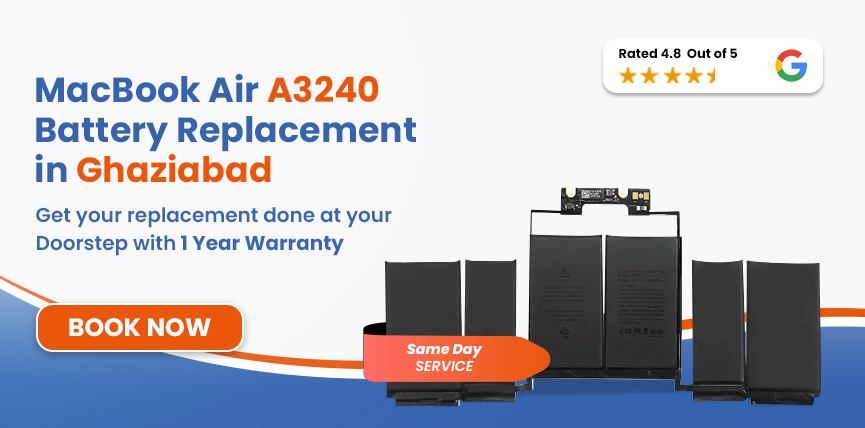
If you're in Ghaziabad looking for MacBook Air A3240 battery replacement, Lappy Maker offers free doorstep pickup from anywhere in the city. We come to you, run a full diagnosis, replace the battery with OEM-quality parts, and return the machine with up to 1-year warranty on the repair. If we can't fix it, you pay nothing.




Let us first identify your MacBook model and confirm you've got the right page.
| MacBook Air A3240 - Battery Specifications | |
|---|---|
| Full Model Name | MacBook Air 13-inch (M4, 2025) |
| Model Identifier | A3240 |
| Battery Model | Confirmed at diagnosis |
| Cell Chemistry | Lithium-Polymer (Li-Po) |
| Capacity | 53.8Wh |
| Voltage | 11.58 V |
| Cell Count | 6-cell |
| Rated Charge Cycles | 1,000 |
| Estimated Battery Life | Up to 18 hours |
| Charging | MagSafe 3 / Thunderbolt 4 (USB-C) |
You can confirm your MacBook’s model via Apple Menu → About This Mac
Steps to Check Battery Health on MacBook A3186
Battery degradation usually happens gradually, making those initial signs easy to miss until they become impossible to ignore.
Safety Hazard: A swollen battery in the A3240 requires immediate attention. Swelling lithium-polymer cells can exert severe pressure on adjacent components like the trackpad, logic board, and display assembly, leading to costly secondary damage. Please contact us right away to schedule a professional battery replacement before further issues occur.
The A3240 is a 2025 machine, so full-blown degradation from age alone is unlikely for most users. But certain conditions push lithium-polymer cells hard regardless of how new the machine is.
Since the MacBook Air relies entirely on passive cooling without an internal fan, lack of airflow allows heat to accumulate much faster and significantly degrades the lithium-polymer battery over time.
Regularly letting your laptop drain all the way down to 0% puts heavy electrical strain on the battery cells. Lithium-polymer chemistry performs best with partial charge cycles, so frequent complete drains shorten overall battery health much faster.
Keeping the laptop plugged into the power outlet overnight holds the battery at maximum capacity for extended periods. This high voltage state generates persistent passive wear on the cells, causing maximum charge capacity to drop prematurely.
Using demanding applications while powered by a low-wattage charger forces the battery to struggle between supplying power and receiving a charge. This dual load creates simultaneous thermal and electrical strain that accelerates overall wear.
Our certified technicians perform accurate, component-level battery replacements that preserve your Mac's structural integrity and restore peak performance.
We perform a comprehensive software and hardware diagnostic, checking cycle count, maximum capacity, charging circuit health, MagSafe port, and thermal behavior to isolate the root cause before opening the unit.
Our technicians do a physical verification of the model identifier (A3240), EMC number (8781), and system identifier (Mac16,12) on-unit to prevent selecting wrong-generation parts that share identical chassis designs.
We select an OEM battery matching the A3240’s 53.8Wh spec and Li-Polymer chemistry, ensuring proper SMC communication with macOS for accurate health reporting and thermal management.
We perform a controlled adhesive release within the ultra-thin chassis to protect adjacent logic board and trackpad flex cables before seating the new module and reassembling the unit.
A full charge-discharge validation is done to verify maximum capacity in macOS, confirm normal status, and monitor charging rates and thermal stability across MagSafe and USB-C ports.
Once comprehensive bench testing covering trackpad responsiveness, keyboard input, display integrity, Thunderbolt 4/MagSafe interfaces, and chassis alignment is done, it is then handed over to the customer.
Services
Free Pickup & Drop
Expert Technicians
Up to 1 Year Warranty
No fix No fee
Affordable
OEM Quality Spares
Same Day Service
Dedicated Support
Free Diagnosis
Authorised Service
Center


Local
Shop
Lappy Maker
Service
A MacBook A3240 OEM battery replacement costs around ₹9,000-₹15,000. As the model is a recent machine, parts availability at the time of booking can be a factor. If we flag anything during diagnosis beyond the battery, it will be communicated before work starts.
The A3240 shares its 13-inch chassis with some other models. Here's a reference table:
| Model | Chip | Year | Battery | Est. Replacement Cost |
|---|---|---|---|---|
| A3240 | M4 | 2025 | 53.8 Wh | ₹9,000-₹15,000 |
| A2681 | M2 | 2022 | 52.6 Wh | ₹8500-₹12,499 |
| A3113 | M3 | 2024 | 52.6 Wh | ₹7499-₹10,000 |
All prices are starting estimates and may vary depending on the device, parts availability and diagnosis.
At, Lappy Maker we are committed to providing reliable, high-quality repair services across Ghaziabad to get your MacBook running at its best.
We match every replacement to your model's confirmed capacity and cell chemistry. We don't cut corners on what goes into the machine.
The price difference is real, and it doesn't come with a quality trade-off. Same standard of work, same OEM quality parts at a fraction of what authorised channels charge.
Our technicians are trained on Apple silicon machines and have handled thousands of MacBook Air battery replacements across every generation.
Every machine that leaves our bench has been tested and checked. The rating reflects the consistency of that outcome across thousands of repairs.
We come to your door. Component sign-off on the spot, machine returned repaired. Our own customer representatives, reachable by call, WhatsApp, or email, keep you updated throughout.
A battery with reduced capacity isn't immediately critical, though you'll find yourself charging more often and staying close to power outlets. Over time, however, these limitations start disrupting your daily workflow.
A meeting gets interrupted. A work session ends early, etc. Unexpected shutdowns are another issue because they can interrupt active work and make the MacBook unreliable away from power. And if you see physical swelling, a simple replacement can turn into an expensive repair.
Once the new battery is installed, you don't need to become obsessed with battery percentages. A few sensible habits are enough:
If you want to get your MacBook Air A3240 fixed by a trusted service centre but don't want to travel across Delhi NCR, we offer free doorstep pickup and delivery all over Ghaziabad. We are also available at our physical service centres in Nehru Place and Gurgaon.
Our agents will visit your location to perform a component sign-off on the spot before bringing your machine in for repair. We operate 6 days a week from 10 AM to 8 PM to provide affordable, high-quality Mac repairs. For easy booking and queries, reach out to us at 9319848444.
The MacBook Air M4 is a capable machine and a worn battery doesn't change that. Whether you're dealing with shorter-than-expected runtime, unexpected shutdowns, or a "Service Recommended" flag that won't go away, MacBook Air A3240 battery replacement in Ghaziabad is a straightforward fix when it's handled properly.
Lappy Maker offers free doorstep pickup from anywhere in Ghaziabad, a written quote after diagnosis, up to 1-year warranty on the repair, and no charge at all if we can't fix it. Call 9319848444 or WhatsApp us to book.
Also worth a look:




I had a awesome experience of repairing my MacBook from Lappy Makers, All and the comfort of sitting at my office. They gave pick and drop service and sameer was courtious and prompt in replying all my queries and deliver a great service experience. Thank you soo much Lappy Makers


It was a wonderful experience getting my MacBook screen repair at Lappy maker. They are very professional when it comes to service. I was pleasantly surprised by their thorough knowledge of the product. They are honest and eager to help out. And I am happy I found an excellent place to get my Apple MacBook fixed at a competitive price and with quality work. I wish them all the best in their endeavors.

Awesome experience, genuine Mac repair service, really helpful staff , they are so ground to earth and polite when they speak and discuss the issue. They will explain everything and even the price is genuine. Overall I really recommend to anyone who wants to repair the MacBook - 5 star rated

We were struggling to MacBook issue, after visiting other repairing store but luckly found Lappy Maker. Now our Mac is completely fine! Thanks!

My Macbook Air was having frequent screen issue. I called these guys up and the engineer was at my place immediately. Took 3 days to figure out the problem of a power circuit which needed to get redone.I was sceptical initially as the costing was coming too much which was very close to the value of laptop. However Mr. Santosh who was the engineer repairing the MacBook had a great attitude of never giving up. My Laptop is working fine again and hopefully it would remain like this for some time. I'm happy with the entire experience and pricing. Would recommend to consult them for all mac laptop related problems.

Yes! If you are searching “MacBook Air A3240 battery replacement near me” in Ghaziabad, Lappy Maker provides free doorstep pickup and delivery. You don't even have to step outside; our agent collects your device, and we return it fully repaired.
Estimates fall between ₹9,000-₹15,000, which includes an OEM-quality battery, fitting, testing, and up to 1-year warranty. We will give you the full price after a professional diagnosis.
The A3240 uses a 53.8Wh lithium-polymer battery. The specific part number is verified on-unit at diagnosis.
If we can't fix your MacBook Air A3240, you pay nothing, no diagnosis fee, no handling charge, no cost for pickup or delivery.
Yes. All Lappy Maker battery replacements come with up to 1-year warranty on the battery and the fitting.
Most replacements are completed the same day, subject to parts availability. The replacement typically takes around an hour, including diagnostic and post-replacement testing.
Battery replacement doesn't touch the SSD. Your files, apps, and settings are completely unaffected throughout the repair. A current backup before any hardware work is always sensible practice.
If your A3240 is still within Apple's one-year limited warranty or covered by AppleCare+, check that first. For machines outside that period, independent repair doesn't introduce new risks beyond the repair itself. We use OEM quality parts and provide our own up to 1-year warranty.
While newer MacBooks shouldn't degrade quickly, heavy use, frequent deep discharges, and local heat can accelerate wear. If macOS displays 'Service Recommended' or battery capacity drops significantly, replacement is necessary regardless of the device's age.

4.8/
40,000+
Happy Customers

Visit Within
One Hour

On Time
Delivery

Best Customer
Support


Disclaimer : The information on www.lappymaker.com is provided for general informational purposes only. Repair costs, timelines, and service availability may vary based on the device model and the extent of damage after inspection. Lappy Maker is an independent laptop and MacBook repair service provider and is not affiliated with or authorized by Apple Inc. or any other laptop manufacturer.
