



 4.8/ 5
40,000+
Happy Customers
A MacBook battery tends to fade gradually. First, you're charging it a little earlier than you used to, then you're carrying the charger to places you never needed to before, and eventually the MacBook is shutting itself off mid-task with no real warning. By that point, the battery isn't just inconvenient. It's actively getting in the way of how you work.
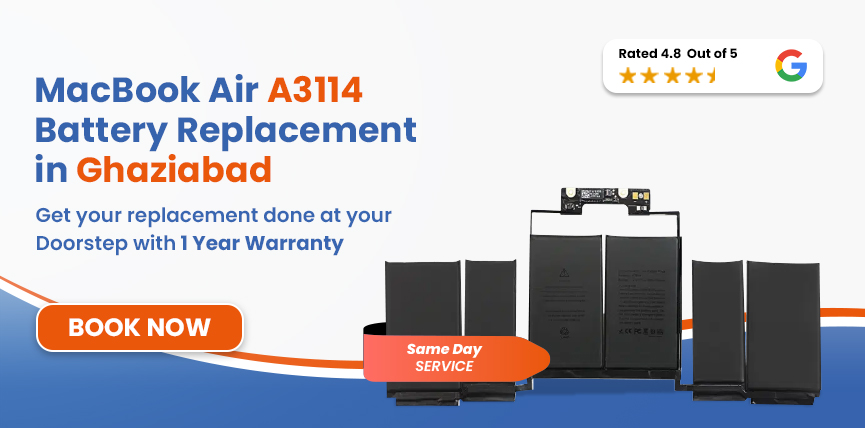
If you need a MacBook Air A3114 battery replacement in Ghaziabad, Lappy Maker takes care of the entire process from your location. We collect the machine from your home or office, service it at our Nehru Place or Gurgaon centre, and return it to you once the repair has been completed and tested.




The A3114 is specifically the 15-inch MacBook Air with M3, so confirming the model before ordering a battery is important.
| MacBook Air A3114 - Battery Specifications | |
|---|---|
| Full Model Name | MacBook Air 15-inch (M3, 2024) |
| Model Identifier | Mac15,13 |
| Battery Model | A2797 |
| Cell Chemistry | Lithium-Polymer (Li-Po) |
| Capacity | 66.5 Wh |
| Voltage | 11.55V |
| Cell Count | 6-cell |
| Rated Charge Cycles | 1,000 |
| Estimated Battery Life | Up to 18 hours |
| Charging | MagSafe 3 + USB-C |
You can confirm your MacBook’s model via Apple Menu → About This Mac.
Before deciding that the battery needs replacement, you can check its condition directly through macOS.
MacBook Air M3 battery decline is usually gradual, but it tends to show up in recognisable ways before it becomes a complete failure.
Safety Note: If the bottom case appears to be lifting, the trackpad feels raised compared to how it used to sit, or there's any visible bulging anywhere on the chassis, stop using the MacBook immediately and contact us A swollen lithium-polymer battery needs urgent professional attention.
All lithium-ion batteries lose capacity over time — that's a chemical inevitability, not a flaw. But some usage patterns bring that degradation on earlier than it needs to happen.
The internal chemistry that stores and releases energy changes with every charge cycle. Over hundreds of cycles, the battery's ability to hold its original capacity gradually diminishes, regardless of how carefully it's been looked after.
Allowing the battery to run down to near zero repeatedly stresses the cells more than keeping it in a moderate range. The occasional low-battery situation isn't a problem, but making it a daily pattern accelerates wear.
Sustained heat is harder on a lithium-polymer battery than any amount of ordinary use. Running heavy workloads in a poorly ventilated space, or using the MacBook on a soft surface that traps heat underneath, adds up over time.
How the battery is charged across months and years also plays a role. Keeping it at 100% continuously or topping it up constantly from low levels both contribute to long-term degradation.
Replacing a battery in a current-generation MacBook isn't a simple panel-off swap. Here's the full process from collection to return.
We begin by reviewing the symptoms and checking the overall health of the MacBook. Battery problems can sometimes be caused or complicated by other hardware conditions, and we assess all of that before confirming a replacement is the right course of action.
Our certified technicians check battery capacity, health status, and cycle count alongside how the MacBook behaves during charging and on battery power. This gives us a clear picture of where the battery actually stands.
We verify the device is an A3114 before selecting the replacement part. Given how similar Apple's recent 15-inch models look externally, this step matters.
With your approval confirmed, we remove the existing battery and install the replacement using the tools and procedure appropriate for this model. The A3114's battery is adhesive-mounted, so the process requires care and the right equipment.
Once the battery is in, we test charging behaviour, battery detection in macOS, and general power performance. The MacBook doesn't leave until we're satisfied the replacement is working as it should.
A final review of the device before it's handed back. For Ghaziabad customers on our doorstep service, we arrange delivery back to your location directly.
Services
Free Pickup & Drop
Expert Technicians
Up to 1 Year Warranty
No fix No fee
Affordable
OEM Quality Spares
Same Day Service
Dedicated Support
Free Diagnosis
Authorised Service
Center


Local
Shop
Lappy Maker
Service
MacBook Air A3114 battery replacement in Ghaziabad is priced at approximately ₹9,999 – ₹11,190. Parts availability and the condition of the MacBook at the time of assessment can both affect where within that range the final cost lands. If anything additional comes up during diagnosis, you'll hear about it before we proceed with any work.
Other 15-inch MacBook Air Models We Service
| Macbook Air model | Chip | Year | Battery Capacity | Price |
|---|---|---|---|---|
| A3114 | M3 | 2024 | 66.5 Wh | ₹9,999 – ₹11,190 |
| A2941 | M2 | 2023 | 66.5 Wh | ₹9,999 – ₹11,190 |
| A3241 | M4 | 2025 | 66.5 Wh | ₹9,999 – ₹11,190 |
Prices shown are starting estimates. Final cost is confirmed after diagnosis and based on parts availability at the time of booking.
We focus on providing transparent, reliable, and convenient service to get your device back to peak performance.
We check the MacBook and identify the actual cause of the problem before recommending a battery replacement. If the battery isn't the issue, we'll tell you that — not proceed with an unnecessary repair.
If we assess the MacBook and the problem turns out to be unfixable, there's no charge. You only pay for a repair that gets done.
Eligible A3114 battery replacements come with an assured warranty of up to one year. That's coverage after the repair, not just a promise made before it.
We collect from your location in Ghaziabad and return the MacBook once it's repaired and tested. There's no need to travel to a service centre.
The A3114 is handled by technicians familiar with Apple Silicon MacBook repair procedures — not generalist laptop repair technicians working from a manual.
A weak battery doesn't immediately stop you from using the MacBook — but it does steadily reduce what you can do with it. Staying tethered to the charger means losing the portability that made the MacBook Air worth buying in the first place. Unpredictable shutdowns mean risking unsaved work. And if the battery has started to swell physically, the situation moves into a safety hazard.
Apple's own guidance is clear that battery capacity decreases over charge cycles and time. When the system is actively prompting you to service the battery, or when physical changes to the chassis become visible, the longer you wait the more limited your options become.
Good habits after a replacement can meaningfully extend how long the new battery performs well.
Lappy Maker doesn't have a walk-in centre in Ghaziabad, but the doorstep service covers the area fully. Call or WhatsApp us to arrange a pickup time, and we'll collect the MacBook from your home or office.
It goes to our Nehru Place or Gurgaon centre for diagnosis and repair, and comes back to you once it's been tested and confirmed working. Our team is available Monday to Saturday, 10:00 AM to 8:00 PM for bookings and queries.
If your 15-inch M3 MacBook can't hold a charge the way it used to, shuts down without warning, or has become a machine you can only rely on when it's plugged in, a battery replacement is likely all it needs to go back to working the way it should.
Lappy Maker offers free diagnosis and free doorstep pickup and delivery across Ghaziabad. Call 9319848444 orWhatsApp us to book your MacBook Air A3114 battery replacement with an assured up to 1-year warranty.
Also worth a look:




I had a awesome experience of repairing my MacBook from Lappy Makers, All and the comfort of sitting at my office. They gave pick and drop service and sameer was courtious and prompt in replying all my queries and deliver a great service experience. Thank you soo much Lappy Makers


It was a wonderful experience getting my MacBook screen repair at Lappy maker. They are very professional when it comes to service. I was pleasantly surprised by their thorough knowledge of the product. They are honest and eager to help out. And I am happy I found an excellent place to get my Apple MacBook fixed at a competitive price and with quality work. I wish them all the best in their endeavors.

Awesome experience, genuine Mac repair service, really helpful staff , they are so ground to earth and polite when they speak and discuss the issue. They will explain everything and even the price is genuine. Overall I really recommend to anyone who wants to repair the MacBook - 5 star rated

We were struggling to MacBook issue, after visiting other repairing store but luckly found Lappy Maker. Now our Mac is completely fine! Thanks!

My Macbook Air was having frequent screen issue. I called these guys up and the engineer was at my place immediately. Took 3 days to figure out the problem of a power circuit which needed to get redone.I was sceptical initially as the costing was coming too much which was very close to the value of laptop. However Mr. Santosh who was the engineer repairing the MacBook had a great attitude of never giving up. My Laptop is working fine again and hopefully it would remain like this for some time. I'm happy with the entire experience and pricing. Would recommend to consult them for all mac laptop related problems.

The replacement is priced at ₹9,999 – ₹11,190 in Ghaziabad. The final figure depends on parts availability and the MacBook's condition at assessment, both of which are confirmed before any work is approved.
Rapid battery drain during light use usually points to a battery that has lost a significant portion of its original capacity. It can also be influenced by background software activity or other power-related factors.
Go to Apple menu → System Settings → Battery → Battery Health. For the cycle count, go to System Settings → General → About → System Report → Power.
Most replacements are completed the same day the MacBook reaches our service centre, provided the correct battery is in stock. If parts need to be sourced or additional issues are identified during diagnosis, the updated timeline is confirmed with you before any work proceeds.
Yes. The A3114 has a built-in lithium-polymer battery that can be professionally replaced. It's not user-replaceable at home, but it's a standard repair at a properly equipped service centre.
Stop using the MacBook right away and get in touch with us. A swollen battery can deform the chassis, damage internal components, and in some cases pose a safety risk. It needs to be assessed and replaced as a priority, not treated as a routine low-battery situation.
Yes — free pickup and delivery is available across Ghaziabad and the wider Delhi NCR area. The MacBook is collected from your location, repaired at our Nehru Place or Gurgaon centre, and returned to you after testing.
Battery replacement doesn't involve the MacBook's storage, so your files and settings remain intact under normal circumstances. That said, keeping a current backup before any hardware repair is always advisable.
Eligible replacements through Lappy Maker come with an assured warranty of up to one year. The specific terms vary depending on the replacement part used and are confirmed at the time of the repair.

4.8/
40,000+
Happy Customers

Visit Within
One Hour

On Time
Delivery

Best Customer
Support


Disclaimer : The information on www.lappymaker.com is provided for general informational purposes only. Repair costs, timelines, and service availability may vary based on the device model and the extent of damage after inspection. Lappy Maker is an independent laptop and MacBook repair service provider and is not affiliated with or authorized by Apple Inc. or any other laptop manufacturer.
