Is your MacBook screen showing horizontal lines? The problem can come from several sources, such as a display connection issue, damaged display components, physical damage, etc. In some cases, the issue may be temporary and subside after a few troubleshooting steps, and others may indicate a hardware fault that requires professional repair.
This guide explains the common causes of horizontal lines on MacBook screen, how you can troubleshoot yourself, and the signs that indicate when you should take it for a professional diagnosis or repair.
Identifying the Type of Display Issue on MacBook
Before jumping to fixes, we must first identify the pattern of the MacBook display issue, as they don’t always have the same cause.
- If you see thin static lines that don’t move, it could be a display panel issue or a GPU fault
- Lines that appear at a specific screen angle? Almost always a flex cable problem.
- Flickering that comes and goes could be anywhere from software to hardware.
Quick tip: Take a screenshot by pressing Cmd + Shift + 3. If the lines appear in the image file, the problem is happening at the software or GPU level. If the screenshot looks clean, your display hardware is the likely culprit.
What Causes Horizontal Lines on MacBook Display?

If your MacBook Pro display horizontal lines, the problem can result from anything from software to hardware faults or damage to internal components. Here are a few common causes:
-
A Worn Display Flex Cable (Flexgate)
The display flex connects your screen to the logic board through the hinge. Every time you open and close your MacBook lid, the cable bends, and over time it wears out.
This can result in MacBook Air horizontal lines on screen with flickering at certain angles, uneven backlighting at the bottom of the screen, or a display that cuts out completely. This issue was so widespread that it later came to be known as ‘Flexgate’.
-
GPU (Graphics Card) Issue
Your MacBook’s GPU is responsible for everything you see on screen. When it starts struggling, whether due to overheating or hardware degradation, it can produce visual glitches, including horizontal lines on MacBook Air screen, colour distortions, or a flickering display.
-
The T-Con Board
The T-Con (also known as Timing Controller) board processes the video signal between the logic board and your LCD panel. On MacBook Pro and Air models from roughly 2018-2021, a failing T-Con board frequently caused screen line issues requiring a display assembly repair.
-
Software and macOS Issues
When you see horizontal lines on MacBook screen, it isn’t always a hardware problem. It could be a corrupted graphics driver, an outdated version of macOS, or a software conflict. They can all produce similar symptoms.
If the flickering started right after you updated macOS, or if it only happens within certain apps, this is a likely culprit.
-
Physical Pressure or Impact
When debris collects between the keyboard and screen, or even long-term pressure from a tight bag, it can stress the display panel or internal connectors. This can show up as MacBook Air horizontal lines on screen even without obvious damage.
What to Do When Your MacBook Screen Shows Horizontal Lines
While these steps won’t fix hardware damage, they’re worth going through before you proceed with professional repairs. It takes a few minutes to check and could save you a trip to a repair centre.
Step 1 – Restart and Observe
A basic restart clears temporary software faults. After restarting, check if the lines or flickering are still there. If they disappear, you likely had a software glitch.
Step 2 – Check for macOS Updates
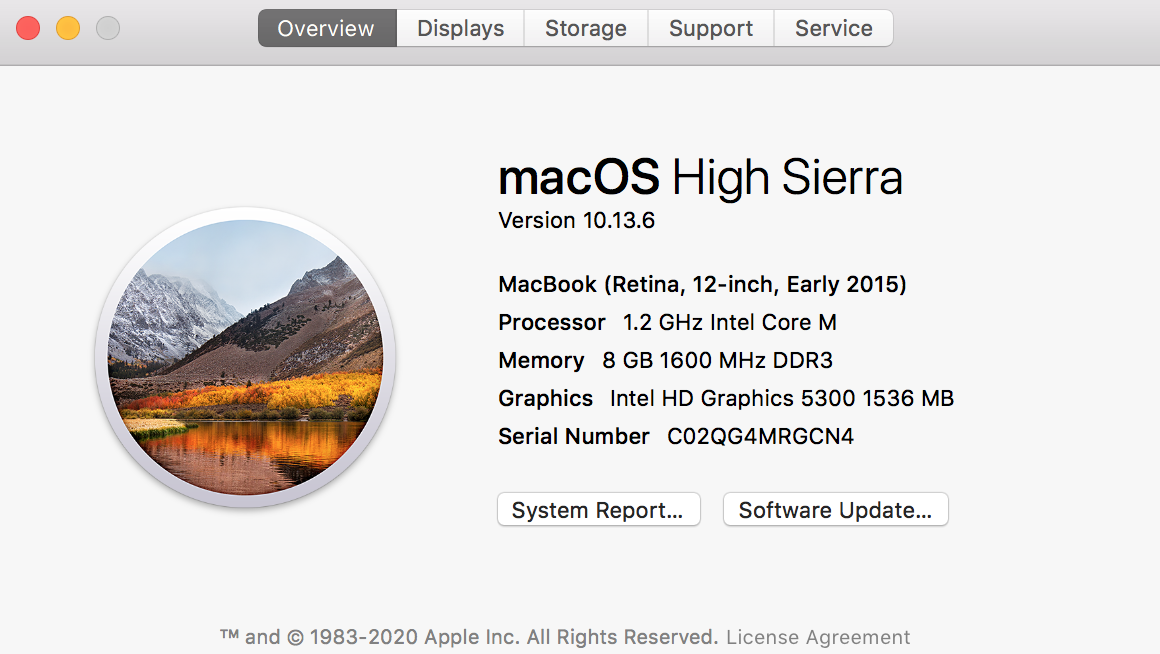
Go to System Settings → General → Software Update. Running an outdated version of macOS is a known trigger for horizontal lines on a MacBook Air screen, particularly after major macOS releases.
Step 3 – Reset NVRAM
NVRAM stores display settings like resolution and refresh rate. Resetting it can resolve display glitches caused by corrupted settings.
- Shut down your MacBook
- Turn it on and immediately hold Option + Cmd + P + R for about 20 seconds
- Release and let it restart normally
Note: On Apple Silicon Macs (M1, M2, M3 chips), NVRAM resets automatically at startup. This step is more relevant for Intel-based MacBooks.
Step 4 – Reset SMC (Intel Macs Only)
The SMC controls hardware functions including display behaviour. For MacBooks with a T2 chip:
- Shut down, then hold Shift + Control + Option + Power for 10 seconds
- Release all keys, then turn the MacBook on normally
Step 5 – Connect an External Monitor
Plug your MacBook into an external display. If the external monitor looks perfectly fine, the issue is isolated to your internal screen and not the GPU or logic board.
Step 6 – Do the Tilt Test
Slowly open and close the lid while watching the display. If horizontal lines on the MacBook Air screen appear, disappear, or change at a specific angle, the flex cable is almost certainly the cause.
Signs Your MacBook Display Needs Professional Repair

Still have horizontal lines on MacBook screen even after the six steps detailed above? The next best course forward is to go to a nearby MacBook service centre such as Lappy Maker for a proper diagnosis and screen replacement.
- The lines persist after restarting and updating macOS
- The display problem is becoming more frequent or severe over time
- An external monitor works normally, but the MacBook’s built-in display still shows horizontal lines
- The display turns black, cuts out, or changes when you adjust the lid angle
- You notice uneven backlighting or a “stage lighting” effect along the bottom of the screen
- The issue continues despite basic troubleshooting steps such as restarting, updating macOS, or resetting NVRAM
At this point, the problem is almost certainly physical, such as a worn flex cable, a failing display panel, or a hardware fault on the logic board. These need hands-on diagnosis from expert technicians who work with Mac hardware specifically.
Understanding Horizontal Lines on MacBook Display
Horizontal lines on a MacBook Air screen and MacBook Pro display are rarely a dead end. The key is figuring out whether you’re dealing with a software issue, a worn flex cable, or something more serious like a panel or GPU fault.
Start with the simple checks: screenshot test, tilt test, NVRAM reset, external monitor. If those don’t help, get it properly diagnosed at trusted Mac service centres like Lappy Maker before the problem gets worse or more expensive to fix
Get Your Professional MacBook Display Repair at Lappy Maker
At Lappy Maker, Mac display issues – including horizontal lines on MacBook screens are something the technicians deal with regularly. With over 40,000+ customers served and a 4.8-star rating, the team has diagnosed everything from early-stage Flexgate to full panel failures.
What sets the experience apart is a simple policy: no fix, no fee. Before any repair begins, you sign off on what’s inside your MacBook. Nothing is touched without your go-ahead.
All repairs use OEM-quality parts, come with up to a 6-month to 1-year warranty, and the service covers Gurgaon, Nehru Place, and surrounding areas in Delhi NCR. We also offer free doorstep pickup and delivery if you’re unable to visit our centre.
Lappy Maker is an independent Mac and Laptop repair centre that’s also ISO certified and recognised by the GOI.
You can contact us or reach the team at 9319848444 or E-Mail us at [email protected], available Mon-Sat, 10 AM to 8 PM.
Frequently Asked Questions
Why do I have horizontal lines on my MacBook Air screen?
The most common causes are a worn display flex cable, a GPU issue, or a failing display panel. Running the screenshot test and tilt test are good first steps to narrow it down.
Can a software update cause horizontal lines on my MacBook screen?
Yes. macOS updates occasionally introduce display driver conflicts that cause display issues. If the issue started right after an update, a further update or NVRAM reset often helps.
What is Flexgate and does it cause MacBook screen lines?
Flexgate is a well-known design flaw where the display flex cable wears out due to repeated opening and closing of the lid. Symptoms include flickering at certain angles, uneven backlight at the bottom, and horizontal or vertical lines.
How do I know if my MacBook display flickering is hardware or software?
Take a screenshot. If the lines appear in the saved image, it’s software- or GPU-related. If the screenshot looks clean but the screen still shows lines, it’s a physical display issue.
Can I fix horizontal lines on my MacBook Air screen at home?
You can try some troubleshooting steps such as restarting, updating macOS, resetting NVRAM, and checking an external monitor. But if the issue is a flex cable, T-Con board, or display panel, home repair isn’t recommended, as the components are delicate and require specialist tools.
How much does it cost to fix a MacBook screen with horizontal lines in Gurgaon?
The cost depends on whether the issue is a flex cable replacement, full display assembly, or a logic board repair. Lappy Maker provides transparent pricing after diagnosis, with no hidden charges. You can call or WhatsApp 9319848444 for an estimate.
Will my data be safe during a MacBook display repair?
Yes. A display repair doesn’t touch the internal storage. The SSD and all your data remain completely unaffected during a screen or flex cable repair.
How long does a MacBook display repair take at Lappy Maker?
Most display repairs are completed within 1-2 business days once the fault is diagnosed and parts are confirmed. The team will give you a clear timeline after the initial assessment.