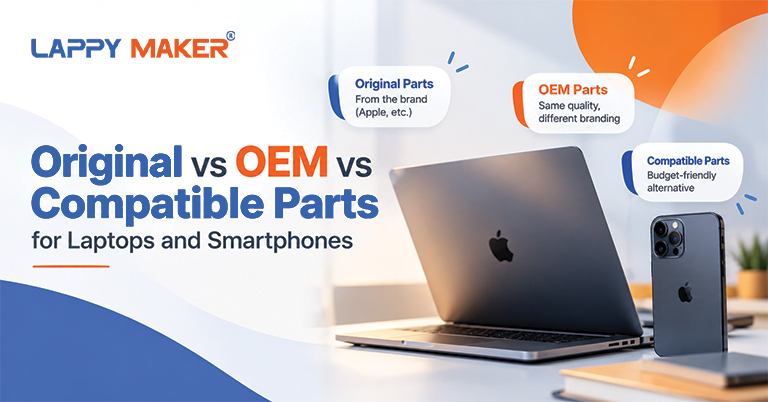
Whenever your laptop, smartphone, or other electronic device needs a repair, you must have heard terms like “OEM”, “compatible,” and “original”. You may even be offered a selection between the three – with each option carrying a different price and potentially different quality expectations.
So, what is the difference between OEM vs. original vs. aftermarket and compatible parts? Which option should you choose, and does paying more necessarily mean getting a better replacement?
This guide explains the common meanings of these terms, the factors that affect replacement-part quality, and how to choose the right option for your device and budget.
What Are Original, OEM and Compatible Parts?
The terms original, OEM, aftermarket, and compatible generally describe the source, the manufacturer, or intended use. However, depending on industry, product category, and seller.
-
What Are Original or Genuine Parts?
Original or genuine parts are the components directly supplied by or recognised as genuine by the device’s manufacturer. They are intended for the relevant product, designed to meet the manufacturer’s specifications.
Potential advantages of original parts include:
-
- Product-specific design: The component is intended for the device or model it supports.
- Established quality standards: Genuine parts are designed and tested according to the manufacturer’s requirements.
- Compatibility: They are intended to work with the supported hardware and software.
- Traceability: Purchasing through an authorised or otherwise verifiable supply channel can make it easier to establish the part’s origin.
Original parts may cost more than third-party alternatives, and availability can vary depending on the device’s age, model and repair channel.
-
What Are OEM Parts?
When deciding on a repair, you might find yourself asking, “Are OEM parts good?” OEM stands for Original Equipment Manufacturer. In general manufacturing, an OEM produces components or equipment used in another company’s product or sold through a particular supply arrangement.
In the repair market, however, the term is often used more loosely. A seller might describe a replacement component as “OEM”, “OEM quality” or “OEM grade” without establishing whether it came from the device’s original manufacturing supply chain.
This distinction matters because the label “OEM” alone does not prove that a replacement part is genuine, identical to the original component or manufactured to the same specifications. They can be a suitable choice when their source, specifications and quality are verified.
Need quality-assured OEM parts for your MacBook repairs and replacement? Lappy Maker is available at Nehru Place, including free pickup/delivery all over Delhi NCR.
-
What Are Compatible Parts?
Compatible parts are third-party components designed to fit and function with a particular device or a range of supported models.
They may be manufactured by companies other than the original device manufacturer. Depending on the product, they can offer a more affordable alternative to genuine parts.
Examples include:
-
- A replacement laptop keyboard designed for a specific model.
- A compatible smartphone charging port.
- A third-party laptop battery with matching electrical and physical specifications.
- A replacement display designed to fit a supported smartphone or tablet.
The quality of compatible parts can vary significantly. Some may provide satisfactory performance for everyday use, while others may have differences in materials, durability, display characteristics, battery capacity or manufacturing consistency.
-
What Are Aftermarket Parts?
When considering original vs. aftermarket parts, it helps to know what “aftermarket” means exactly. They are replacement components manufactured or supplied outside the original device manufacturer’s own parts channel. They are generally intended to replace an existing component after the original equipment has been purchased.
Aftermarket parts can include relatively basic, low-cost alternatives as well as products made by established third-party manufacturers with their own quality-control processes.
Compatible and aftermarket parts often overlap in the electronics repair market. A compatible display or battery may also be described as an aftermarket part.
However, aftermarket does not automatically mean poor quality, just as a higher price does not automatically prove that a component is genuine.
OEM vs Original vs Compatible vs Aftermarket Parts: Key Differences
Although sellers may use these terms interchangeably, they do not necessarily describe the same thing.
| Factor | Original or genuine | OEM-labelled | Compatible | Aftermarket |
|---|---|---|---|---|
| Source | Manufacturer's genuine-parts supply chain | Depends on the supplier's claim and arrangement | Third-party manufacturer or supplier | Outside the original manufacturer's parts channel |
| Device compatibility | Intended for supported products | Depends on the actual part | Designed for specified models | Depends on the product |
| Quality assurance | Manufacturer's applicable standards | Must be verified | Varies by manufacturer and product | Varies by manufacturer and product |
| Price | Often higher | Varies | Often lower, but not always | Varies |
| Warranty | Depends on the purchase and repair channel | Depends on the seller and repair provider | Depends on the seller and repair provider | Depends on the seller and repair provider |
| Main consideration | Verify authenticity and supply channel | Do not rely on the OEM label alone | Check specifications and quality | Evaluate the specific product and supplier |
Note: This table describes common usage in consumer-electronics repairs, not universal legal or technical definitions. The terminology and warranty arrangements can differ between manufacturers, markets and product categories.
Which Is Better: Original, OEM or Compatible Parts?
The right choice depends on the component being replaced, your budget, the device’s age, the importance of specific features and the quality of the available alternatives.
When Should You Choose Original Parts?
Original parts are worth considering when maintaining the manufacturer’s specified performance, feature compatibility and traceability is a priority.
They can be particularly appropriate for:
- Batteries: Battery quality affects capacity, charging behaviour, reliability and safety.
- Displays: Brightness, colour reproduction, touch response and other features can differ between replacement panels.
- Biometric components: Certain fingerprint and facial-recognition systems have hardware and software dependencies that may restrict third-party replacements.
- Devices under warranty or an extended service plan: The available repair route and terms may influence which parts and providers are appropriate.
When Are OEM Parts a Suitable Option?
An OEM-labelled part may be suitable if the supplier can substantiate what the term means in that particular case.
Before choosing one, ask:
- Who manufactured the component?
- Is it a genuine part supplied through the device manufacturer’s parts channel?
- What specifications does it meet?
- Is its origin verifiable?
- What warranty is offered on the part and the repair?
If the seller cannot answer these questions clearly, treat the OEM label as an unverified claim rather than a guarantee of quality.
When Should You Consider Compatible or Aftermarket Parts?
Compatible and aftermarket parts can be sensible options when the replacement has been properly specified, the supplier is reliable and the price difference is meaningful.
They may be worth considering when:
- The device is older and genuine replacement parts are difficult to source.
- The cost of a genuine component makes the repair less practical.
- A reputable third-party manufacturer offers a suitable alternative.
- The repair provider clearly explains the component’s specifications and warranty.
- The replacement supports the functions you need from the device.
However, the lowest-priced component is not always the most economical choice. A poorly made replacement may have a shorter service life, perform inconsistently or require another repair sooner than expected.
Does a Higher Price Mean a Better Replacement Part?
Price can reflect several factors, including the manufacturer’s supply channel, material quality, testing, availability, brand positioning and warranty arrangements. It does not independently establish whether a part is genuine or whether it will perform better.
Similarly, a cheaper component is not automatically unreliable. Some third-party replacements can meet the user’s needs, provided they are manufactured to appropriate specifications and sourced from a dependable supplier.
For example, imagine two quotes for replacing a laptop battery:
- Quote A: A lower-priced replacement with limited information about its manufacturer and a short warranty.
- Quote B: A more expensive replacement with a clearly identified supplier, documented specifications and a longer repair warranty.
Quote B may offer greater reassurance, but the price difference alone does not prove that its battery is better. You still need to establish what the warranty covers, whether the specifications are appropriate and whether the repair provider stands behind its work.
How to Choose the Right Replacement Part for Your Device
Before approving a repair, use the following checklist to evaluate the replacement component and the service provider.
-
Identify the Exact Device Model
Replacement parts are not universally interchangeable, even between devices from the same product family.
Check the exact model number, generation and relevant specifications. A battery or display that fits one laptop or smartphone model may not fit another, even if the devices look similar.
Ask the repair provider to confirm that the proposed part is intended for your exact device.
-
Ask Who Manufactured the Part
Find out whether the component is genuine, used genuine, refurbished or manufactured by a third party. If it is described as OEM, ask what that means in the seller’s specific context.
A trustworthy supplier should be willing to explain the part’s origin without relying entirely on marketing labels.
-
Compare Specifications and Features
The relevant specifications depend on the component.
For batteries, consider rated capacity, electrical specifications and applicable safety protections. For displays, look at resolution, brightness, touch functionality and other features supported by the device. For charging components, compatibility with the required power and data functions may matter.
A part that physically fits is not necessarily equivalent to the original component in every respect.
-
Check the Warranty Terms
Ask whether the warranty covers the replacement part, the installation or both. Confirm the warranty duration, exclusions and process for reporting a fault.
A longer warranty can provide additional reassurance, but read the terms rather than relying on the duration alone.
Also distinguish the repair provider’s warranty from the device manufacturer’s warranty or service plan. They are not automatically the same.
-
Evaluate the Repair Provider
The quality of the repair depends on more than the component itself. Incorrect installation or inadequate testing can cause problems even when the replacement part is suitable.
Look for a provider that explains the diagnosis, identifies the proposed part, gives a clear quote and tests the device after installation. Reviews and recommendations can help, but they should be considered alongside the provider’s stated processes and warranty terms.
-
Compare the Total Cost
Request an itemised quote that explains the part cost, labour, taxes where applicable, warranty and any additional charges.
A lower initial quote may not offer the best value if it excludes installation, provides little warranty coverage or uses an unsuitable component. Conversely, paying substantially more may not be justified if a reliable alternative meets your requirements.
Compare what each quote actually includes before making your decision.
Do Replacement Parts Affect Device Performance or Warranty?
A replacement battery may affect battery life or charging behaviour if its quality or specifications are unsuitable. A display may differ in brightness, colour accuracy or touch response. Certain third-party components may also have limitations involving device-specific features, software recognition or calibration.
Common Mistakes to Avoid When Buying Replacement Parts
Even after understanding the terminology, it is easy to make a poor decision if you focus on only one factor.
- Assuming OEM always means genuine: The label may be used loosely. Verify the component’s source and specifications.
- Choosing the cheapest option automatically: A low price does not tell you enough about quality, compatibility or service life.
- Assuming every compatible part is inferior: Third-party products vary. Evaluate the specific manufacturer, component and available evidence.
- Ignoring the warranty: A part’s price matters less if you do not understand what happens when it fails.
- Overlooking installation quality: A suitable replacement can still perform poorly if it is incorrectly installed or not tested.
- Failing to disclose the part type: Before approving a repair, confirm exactly what will be installed and whether it is new, used, refurbished, genuine or third-party.
Avoiding these mistakes can help you make a more informed decision and reduce the risk of paying for an unsuitable repair.
Making an Informed Replacement-Part Decision
Choosing between original vs OEM vs compatible and aftermarket parts is about understanding what is being offered and whether that component meets your device’s requirements.
Start by confirming the exact part and its source. Then compare its specifications, expected performance, warranty, installation quality and total repair cost. If a seller uses terms such as OEM quality or original grade, ask what those descriptions mean and what evidence supports them.
Ultimately, the best replacement is the one that meets your needs, offers an appropriate level of reliability and represents good value for the device you want to keep using.
Need MacBook Repair with Quality Replacement Parts?
If your MacBook needs a battery, display, charging port or another component replaced, choosing the right part is an important part of the repair process. At Lappy Maker, we provide MacBook repair services using OEM-quality replacement parts, with a focus on reliable repairs and clear service terms.
You can visit our service centre in Nehru Place, New Delhi, to discuss your MacBook’s issue and available repair options. Our team available at 9319848444 or Whatsapp can help identify the problem, explain the recommended replacement and provide details about the applicable repair warranty.
Frequently Asked Questions
Are OEM parts the same as original parts?
OEM stands for Original Equipment Manufacturer, but the term is often used inconsistently in repair listings. An OEM-labelled replacement is not automatically a genuine part supplied through the device manufacturer’s parts channel. Ask the seller to clarify the source and specifications.
Are compatible parts reliable?
They can be, but reliability varies by manufacturer, product quality, component type and installation. Check the specifications, supplier reputation, warranty and testing process instead of relying on the compatible label alone.
Are aftermarket parts the same as compatible parts?
The terms overlap, but they are not exact synonyms in every context. Aftermarket generally refers to parts supplied outside the original manufacturer’s parts channel, while compatible describes a part designed to work with a particular device.
Why are original parts often more expensive?
Original parts are often more expensive because it reflects the manufacturer’s supply chain, testing and quality requirements, availability and other commercial factors.
Can I use compatible parts in my laptop or smartphone?
Yes, as long as the replacement is suitable for your exact device and meet the component’s relevant specifications. For safety-sensitive components such as batteries and power adapters, sourcing and quality control deserve particular attention.
How can I check whether a replacement part is genuine?
Purchase through a verifiable manufacturer or authorised supply channel where possible. Ask for documentation or part identification where available, confirm the supplier’s claims and check whether the device provides a repair-history or parts-verification feature.
Should I always choose original parts for repairs?
No single option is right for every situation. Genuine parts can be preferable when traceability, manufacturer specifications or specific device features are priorities. The decision should account for the component, device, quality evidence, warranty and total cost.